
This article describes new features and improvements to Split Review and drawing title management.
New Features
Conditions: Undo/Redo (WO-6070)
Undo and Redo actions may be accomplished within the Conditions feature including Conditions, Takeoff Zones, and Takeoff Items.
-
Undo - CTRL + Z
-
Redo - CTRL + Shift + Z
Detect Room Names (WO-6319)??
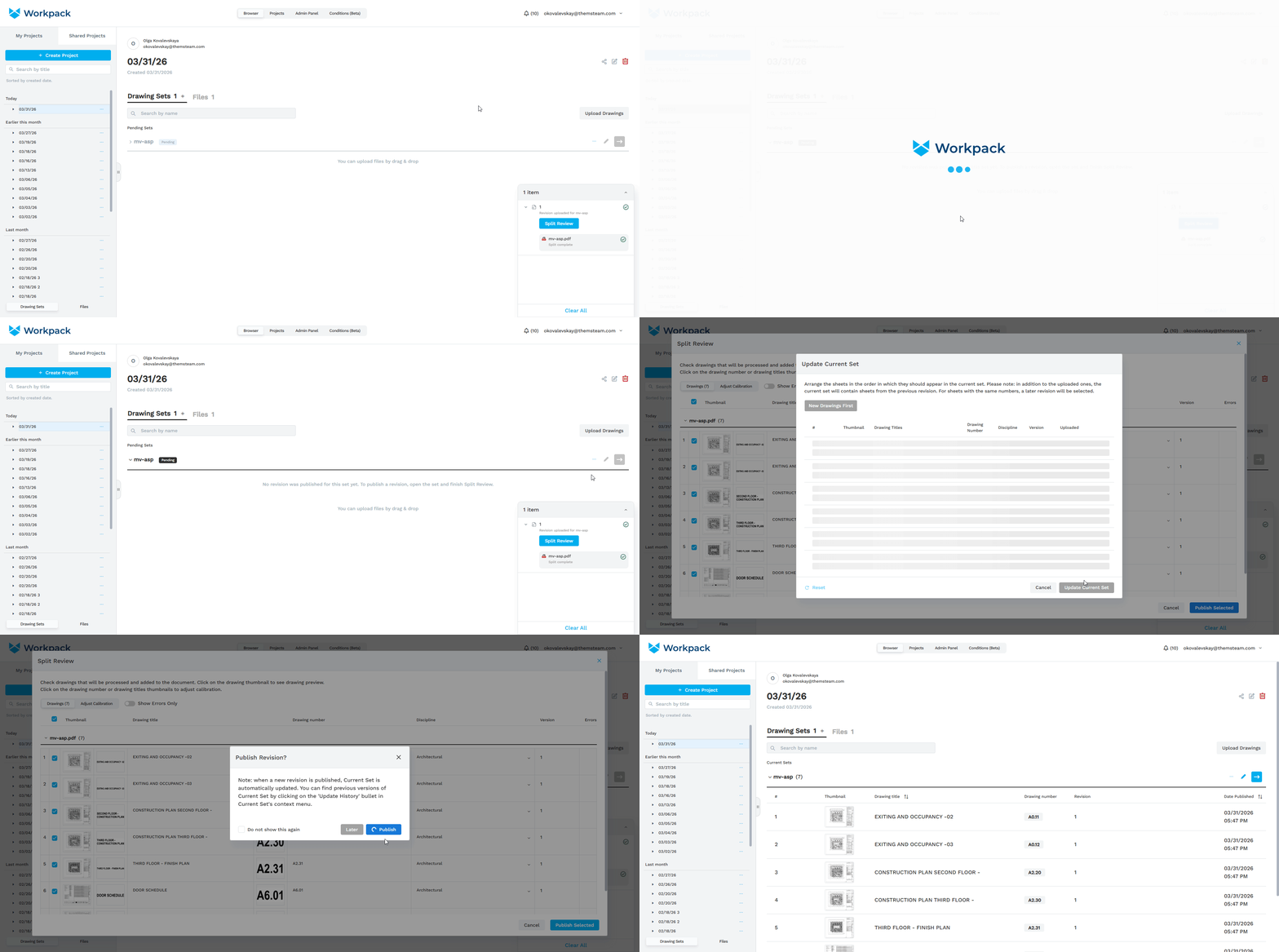
Show Newly Created Sets & Publishing Flow Improvements (WO-6370 and WO-6282)
- The Current Sets tab has been renamed Drawing Sets and is now divided into Current Sets and Pending Sets.
- Pending Sets include any sets with unpublished revisions, including those that have never been published. These sets are now visible, ensuring they are no longer overlooked or lost. The split review process can be completed for them at any time.
New Improvements
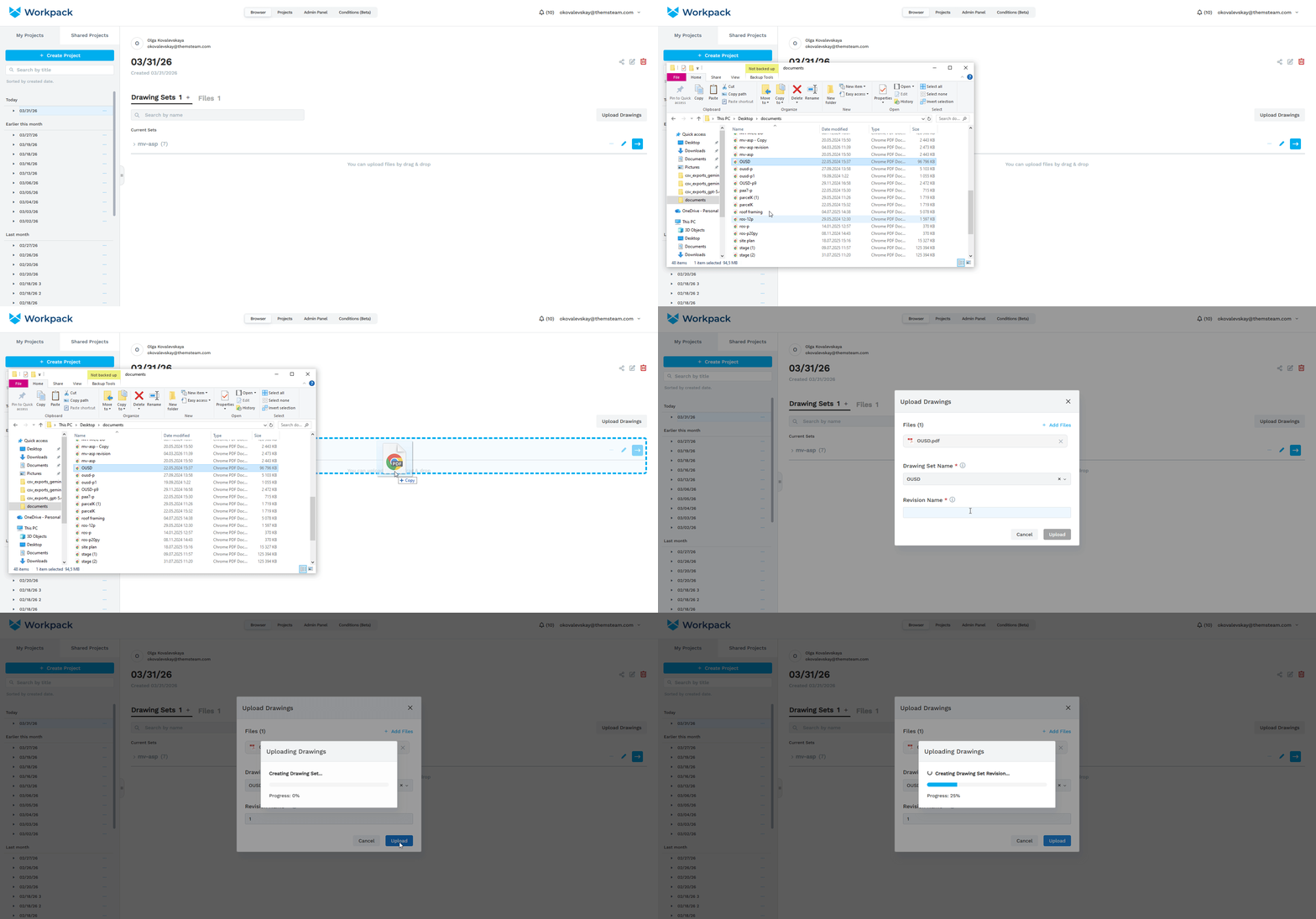
Drag and Drop Upload for Drawings (WO-6361)
- You can now upload documents via drag and drop directly in the Drawing Sets tab.
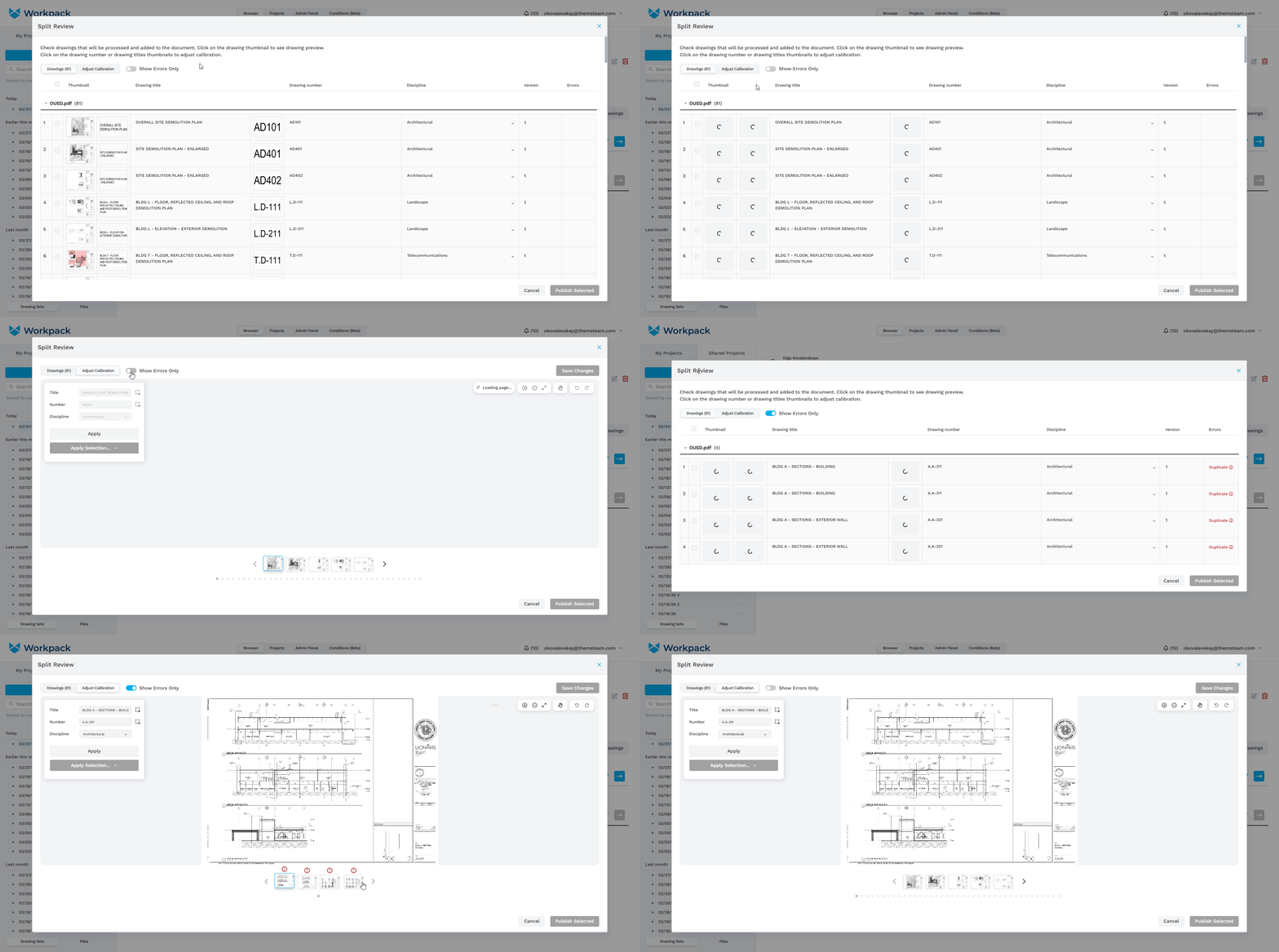
’Errors Only’ Toggle in Adjust Calibration (WO-6360)
- A new “Show Errors Only” toggle has been added to the Adjust Calibration tab in Split Review.
- When enabled, only sheets with errors will be displayed in the list at the bottom, making it easier to focus on issues that need attention.
Upload Drawings Window Improvements (WO-6372)
Several updates have been made to improve the visibility and usability of required fields in the Upload Drawings window:
-
Text fields are now visible before any files are uploaded.
-
Uploaded files take up less space.
-
After uploading files, the large “Upload File” area is replaced with a smaller button, allowing you to add more files while freeing up space for the fields below.
-
You can still add files via drag and drop anywhere in the Upload Drawings window after the upload area is minimized.
Suggest an Improvement to this Article