
Update Overview:
- Feature: Edit the current drawing set manually (WO-6041)
- Feature: Takeoff Item Names (WO-6074)
- Feature: Conditions: Snap to Takeoff Items (WO-6071)
- Feature: Conditions: Quantities With and Without Backouts (WO-6104)
- Improvement: Add Default Drawing Set Name (WO-6129)
- Bug Fix: Crosshair Cursor Disappears at Drawing Takeoff Zones (WO-6203)
- Bug Fix: [Integration Issue] Requesting Submit right after uploading new document yields empty results and inability to re-process the document (WO-6201)
Release Notes:
Edit the Current Drawing Set Manually
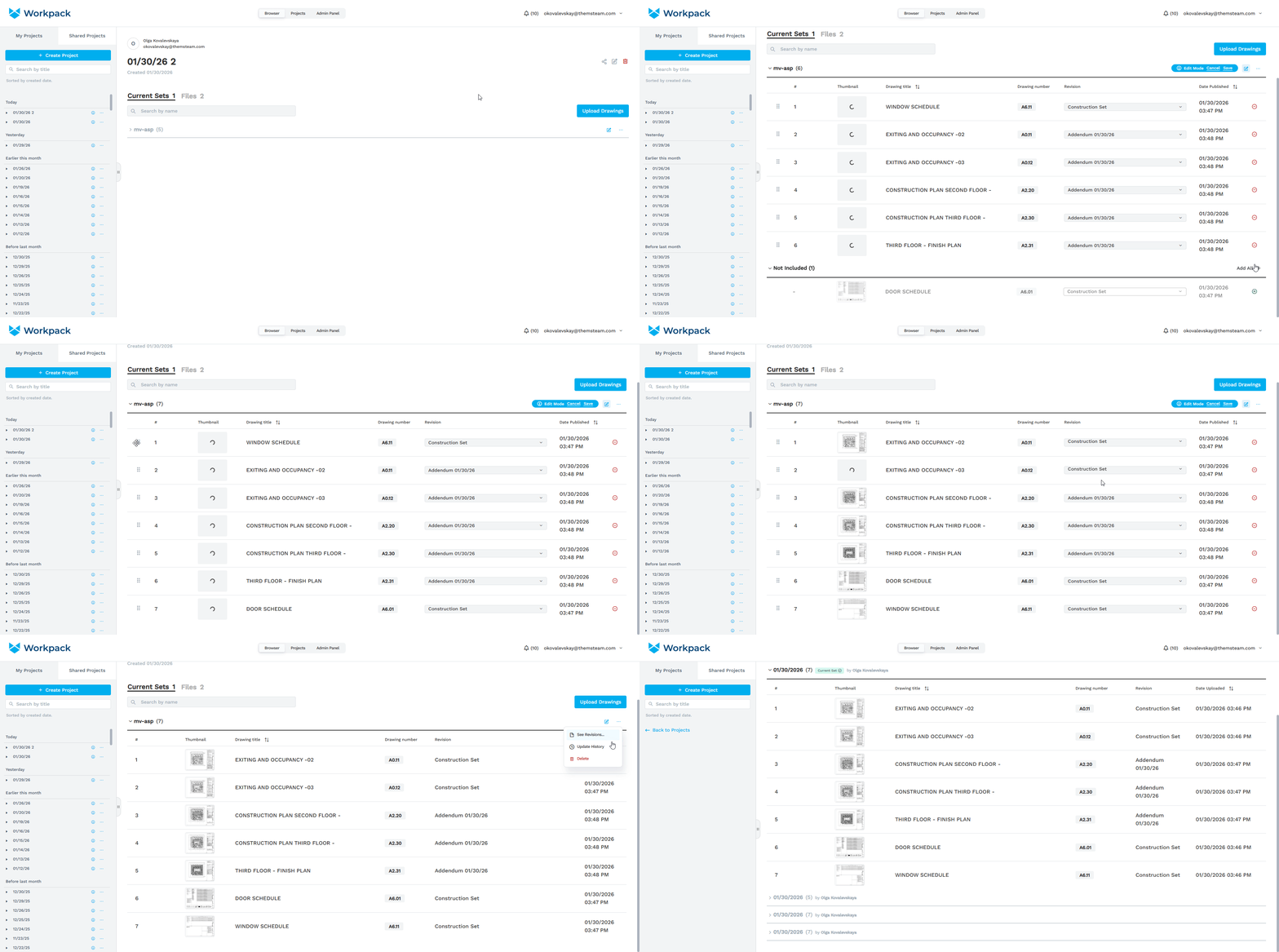
- Now you can edit the state of the current drawing set after publishing. Press the edit icon next to the three-dot menu of a current set to start editing.
- There, you can remove sheets from the current set, add sheets from previous revisions to the current set, reorder sheets, and replace the current revision of any sheet with any of the previous ones.
- Once you’re finished, don’t forget to press ‘Save’. The save button is locked when there are no changes made compared to the current version.
- After changes are saved, the Update History page will show the new version of the current set.
Takeoff Item Names
-
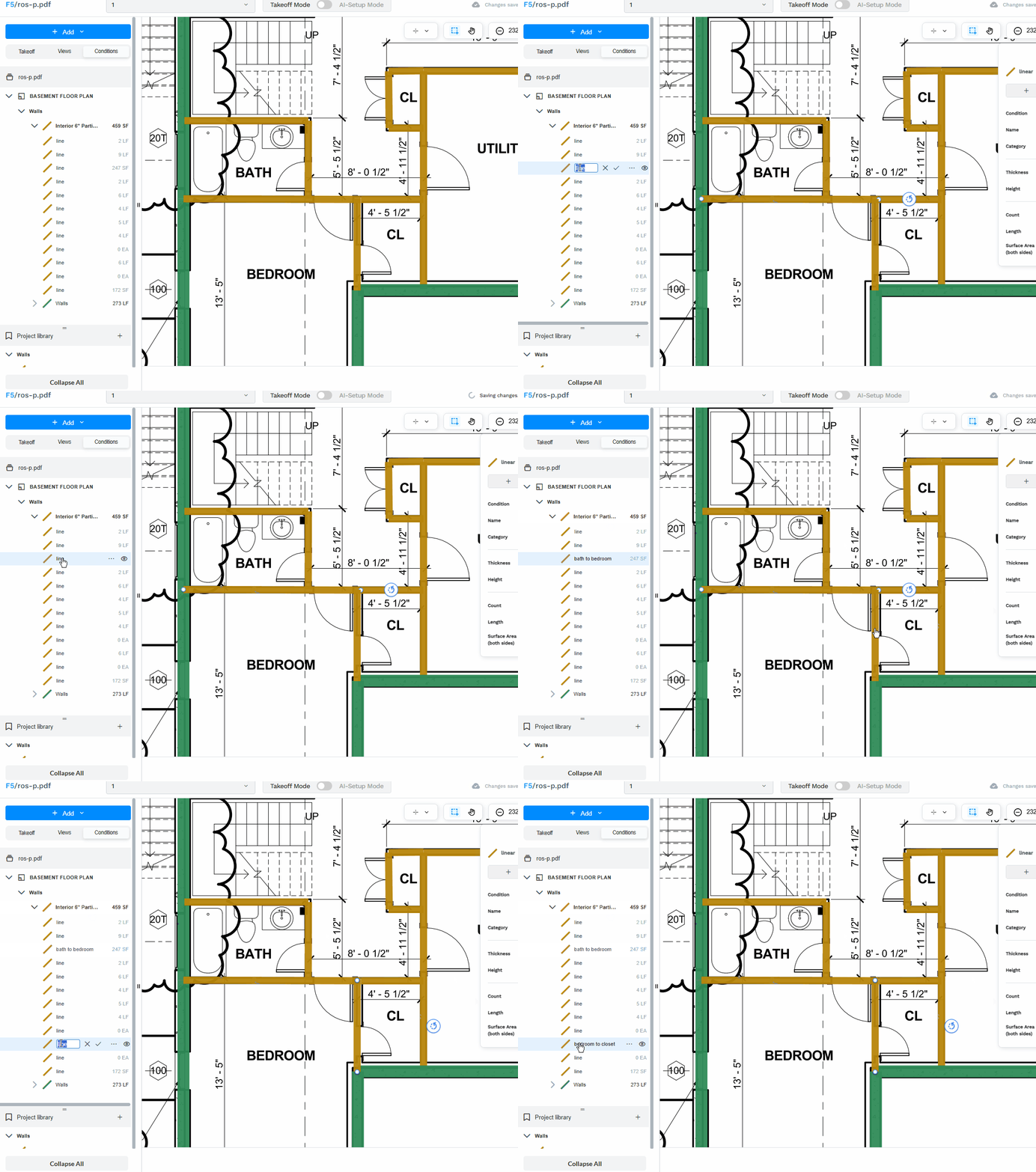
Ability to rename Takeoff Items is now available in Condition Takeoff
-
To start renaming, double click over the item:
Conditions: Quantities With and Without Backouts
-
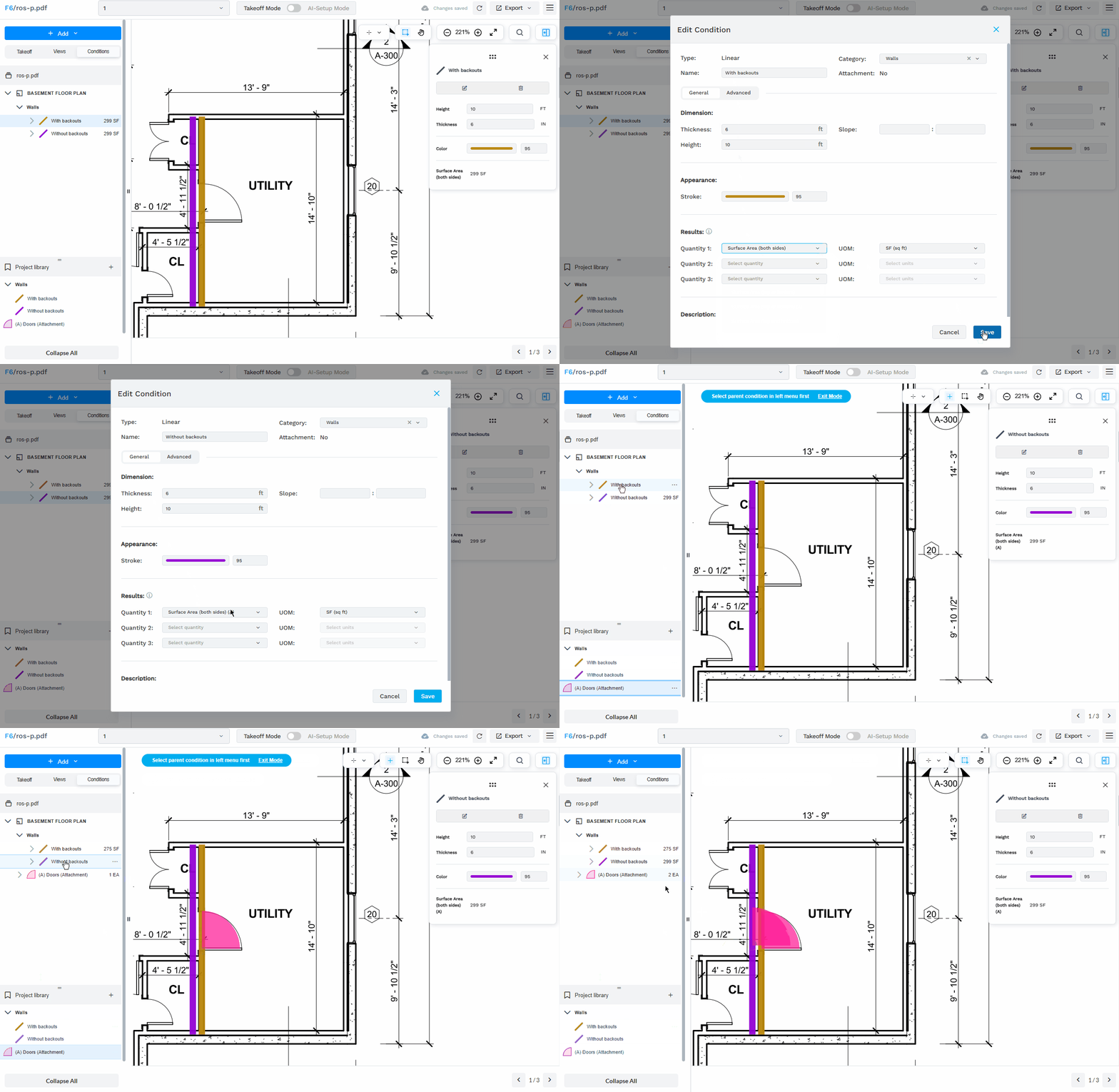
Users now can select which quantity they want — with or without backouts.
- All quantities in dropdown are in two variants:
- One that accounts backouts in calculation, the name without (A) at the end.
- Another gives result as if there is no attachment is present; it is marked with (A) at the end.
-2.png?width=380&height=296&name=image%20(3)-2.png)
Conditions: Snap to Takeoff Items
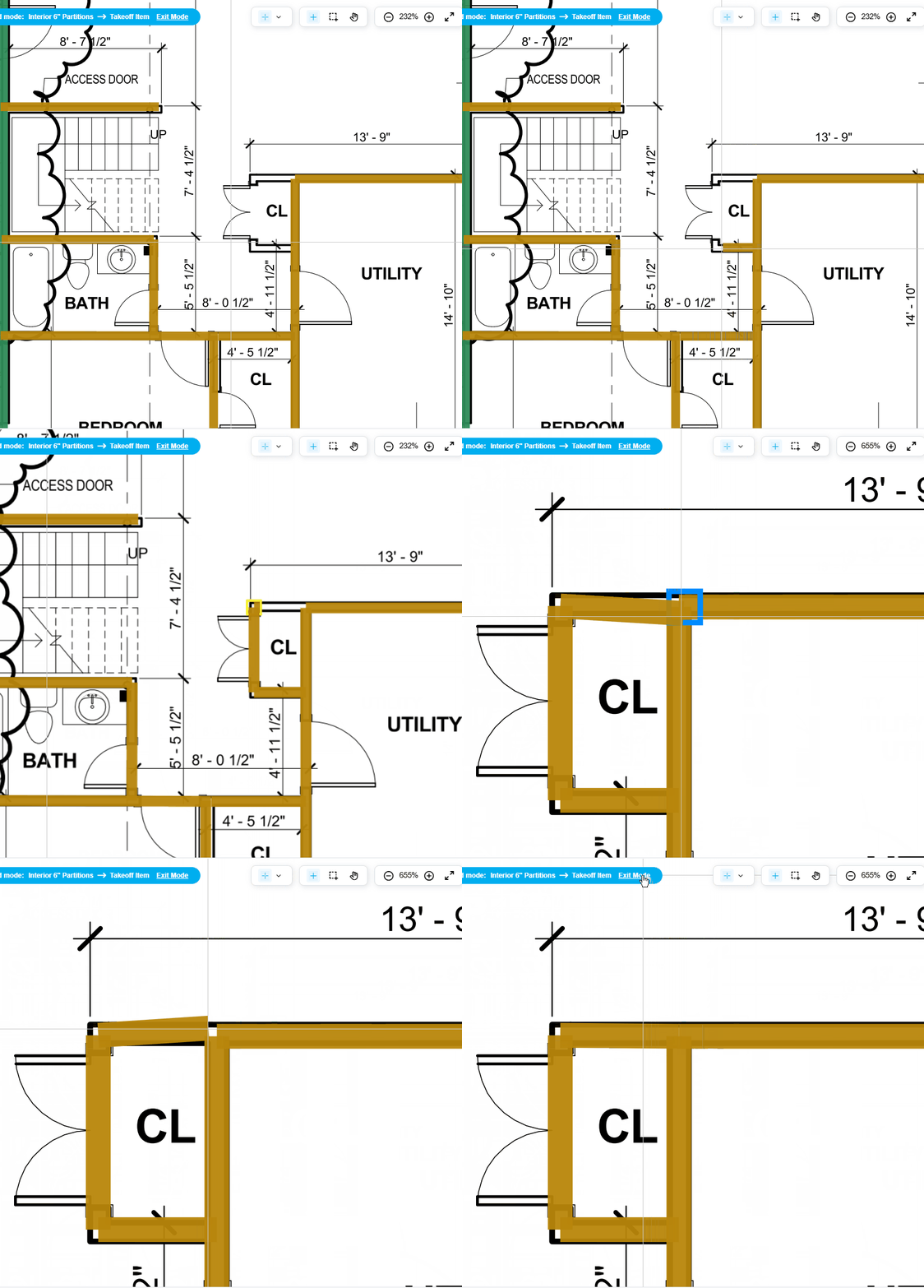
- Snapping is now supported in the drawing mode for Conditions.
- Snapping works with Areas, Lines and Counts including all cross-type interactions.
- Three types of snapping targets are supported: edges, ends and joints.
- Snap to edge is highlighted with a blue square, snap to point is highlighted with a yellow one.
Add Default Drawing Set Name
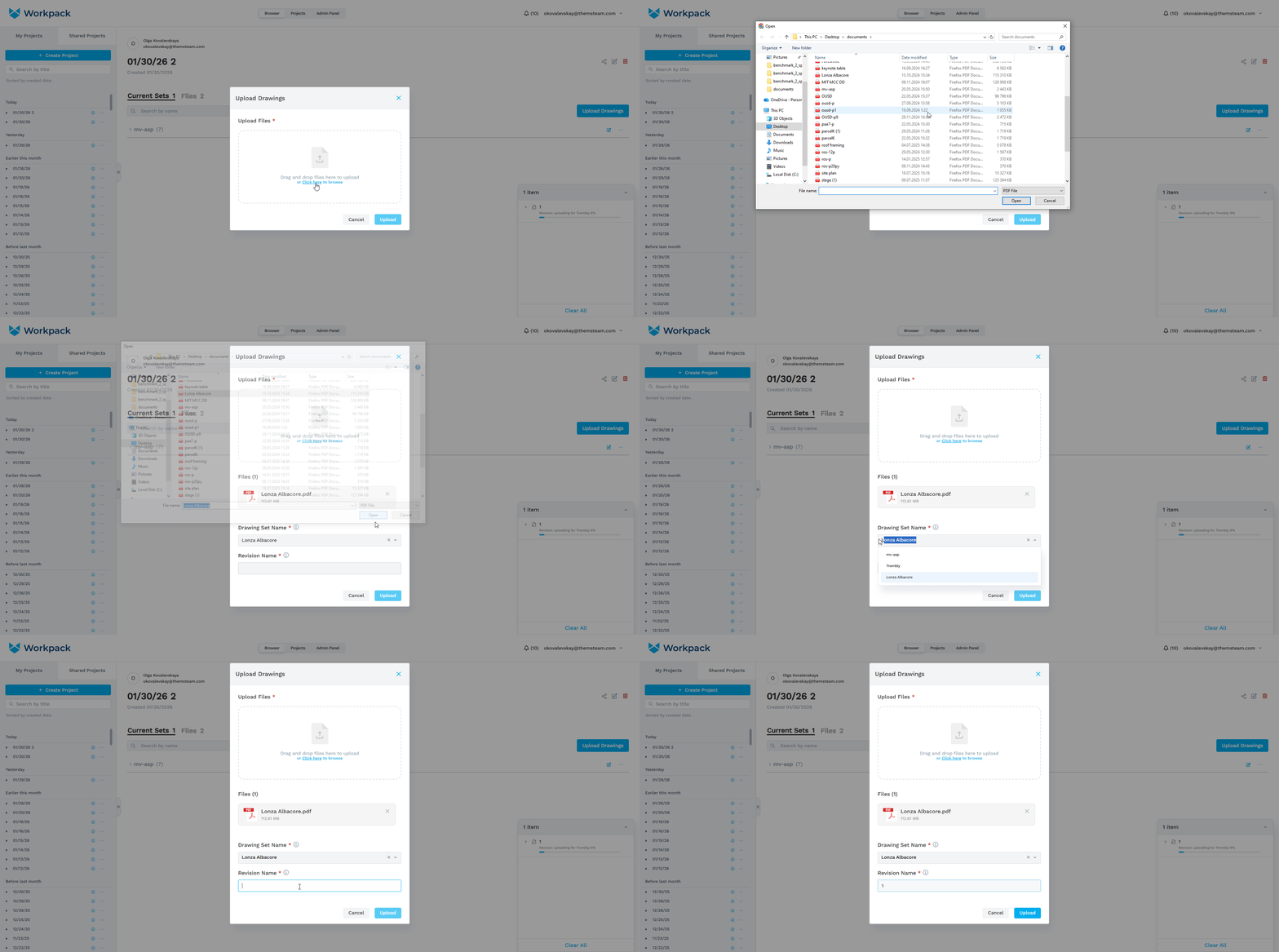
- When a document is selected in the Upload Drawing window, the Drawing Set Name field is automatically filled with the name of the document, minus the extension.
- If two or more documents are selected for uploading, a default name will not be set.
Bug Fix: Crosshair Cursor Bug at Drawing Takeoff Zones
-
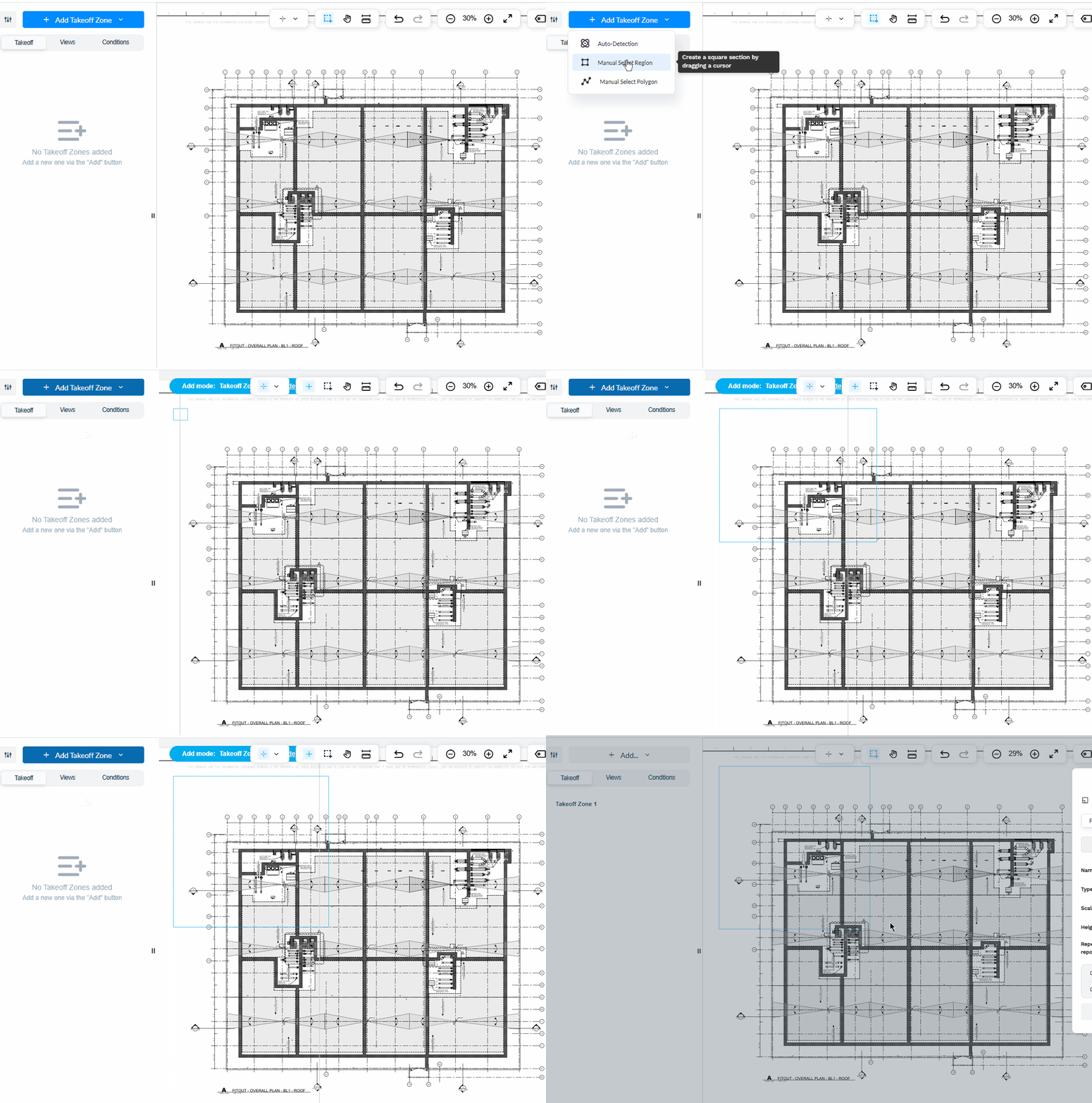
In some documents, users might start drawing Takeoff Zones (and other items) and see the cursor is absent or shifted.
-
The issue has been fixed.
Bug Fix: Submit on Uploading New Document Yields Empty Results
-
Requesting Submit right after uploading new document might lead to the processing run ending with empty results and inability to re-process the document. Issue has been addressed.