
Update Overview:
Features:- Feature: Global Conditions Library (WO-5930)
- Feature: Drawing Sets: Publishing (WO-5954)
- Feature: Drawing Sets: History (WO-5976)
- Feature: Condition Attachments (WO-5920)
- Feature: Conditions: Hide (WO-5975)
- Improvement: Redirect Back to Document After Login (WO-5945)
- Improvement: Drawing Sets: Sort from Newest to Oldest (WO-5988)
- Improvement: 'Back to Projects' Button in the Navigation Panel (WO-6008)
Bug Fixes:
- Bug Fix: Create Project from List of Revisions Doesn't Work Properly (WO-6009)
Release Notes
Global Conditions Library
-
Besides a Project Condition Set (’Project Library’), new Conditions library consisting of Global Condition Sets is now available for users.
-
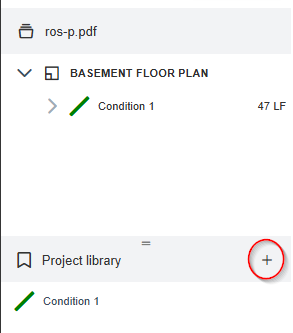
To enter a Global Library, click ‘+’ here:
-
Currently, only Global Condition Sets are present in the Library. Later, User and Company domains will be added.
-
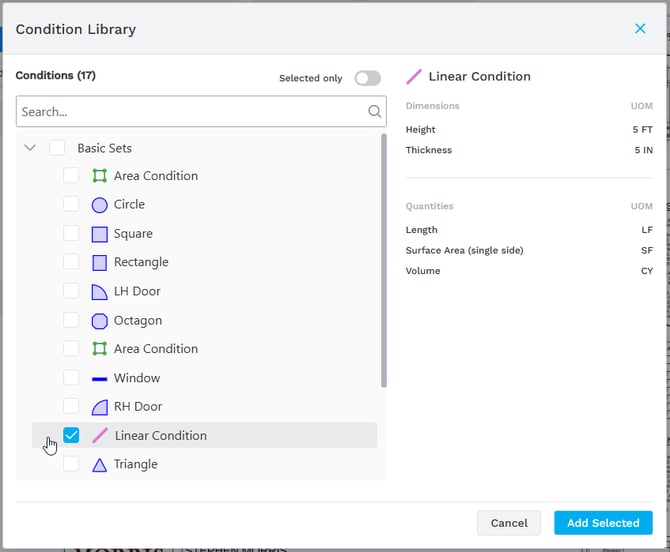
The Library has three-level structure: Set - Category - Conditions (two-level, if no Condition has any Categories). Currently, there is only a limited number of sets for demo purposes:
-
Once a Condition is selected, users can see properties of that Condition to the right.
-
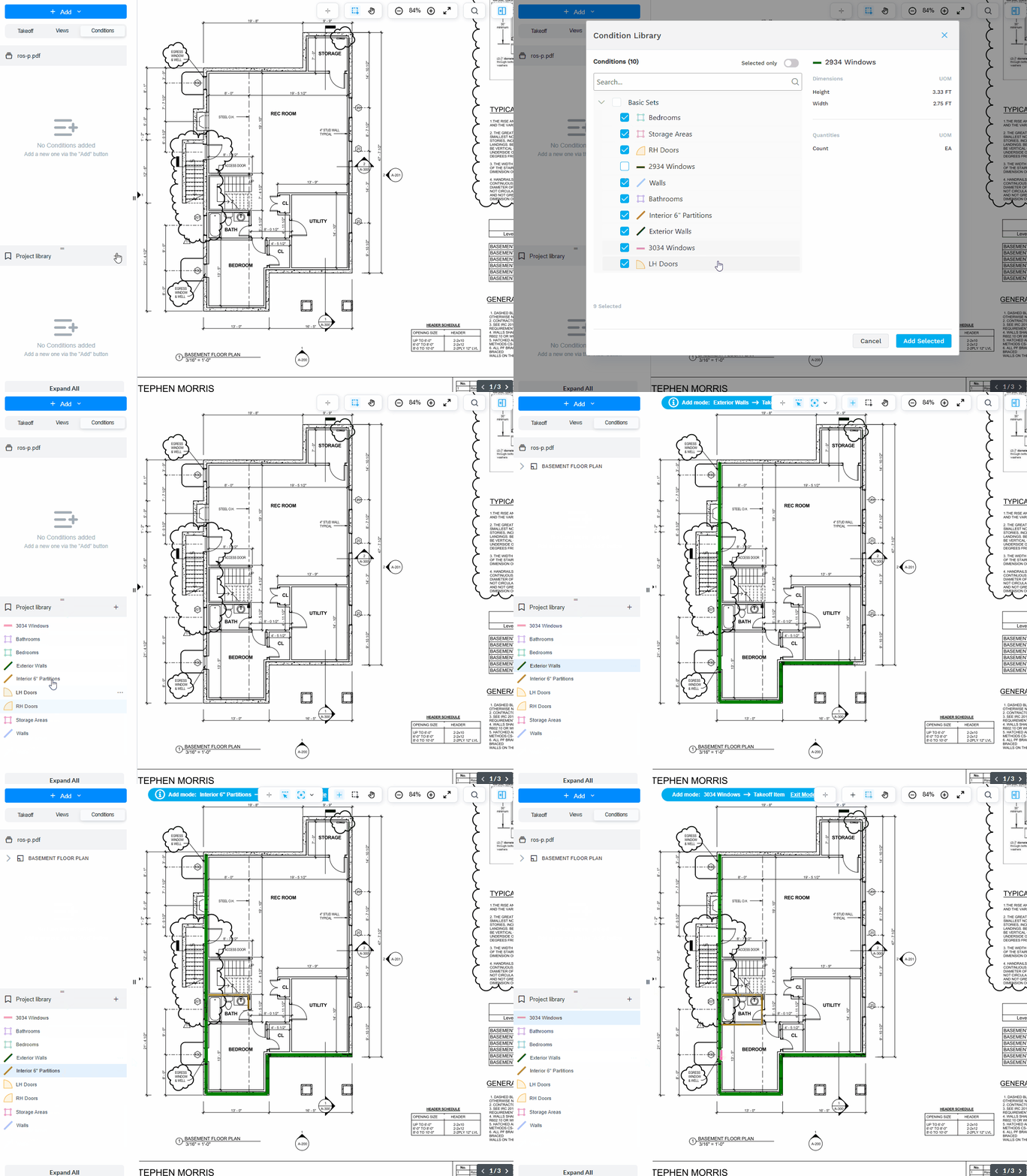
Users can select as many Conditions as they want from all available Condition Sets. Click ‘Add Selected’, and get all of them added to the Project Condition Library (Project Condition Set). From there, users can start their takeoff with added Conditions.
-
Once a Condition is added to the project, it is the same as in Library, including the ID. After the added Condition is edited (the color or some dimension value is changed), it is counted as another Condition with a different ID. If a Condition does not belong to any library except the project one, it does not change the ID on edit.
- Demo:
Drawing Sets: Publishing
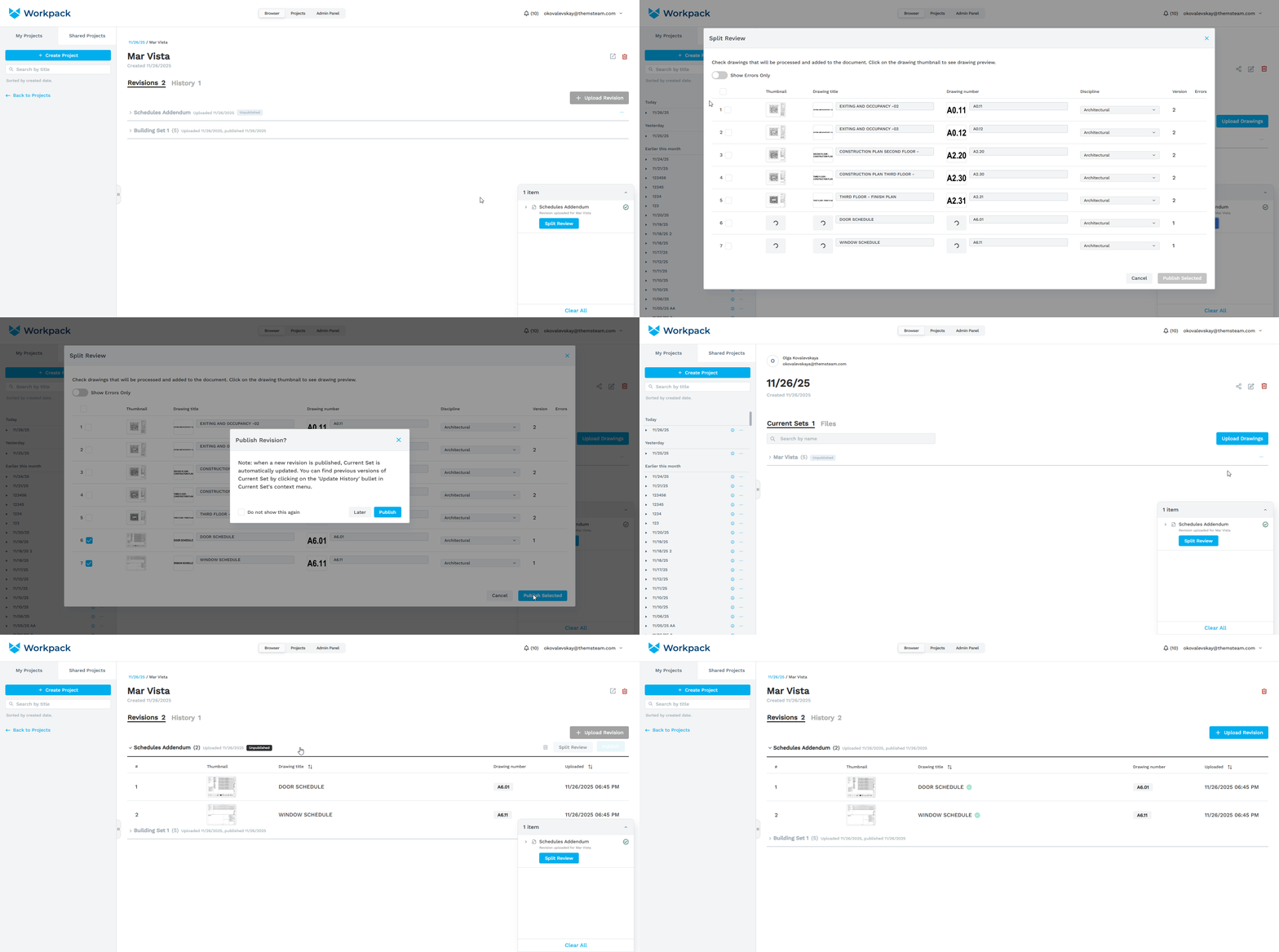
- Now new revisions of a drawing set don’t jave to be published right away. A revision is created, and can be published by a user later at any moment, either through Split Review or through the list of revisions (except the very first one).
Drawing Sets: History
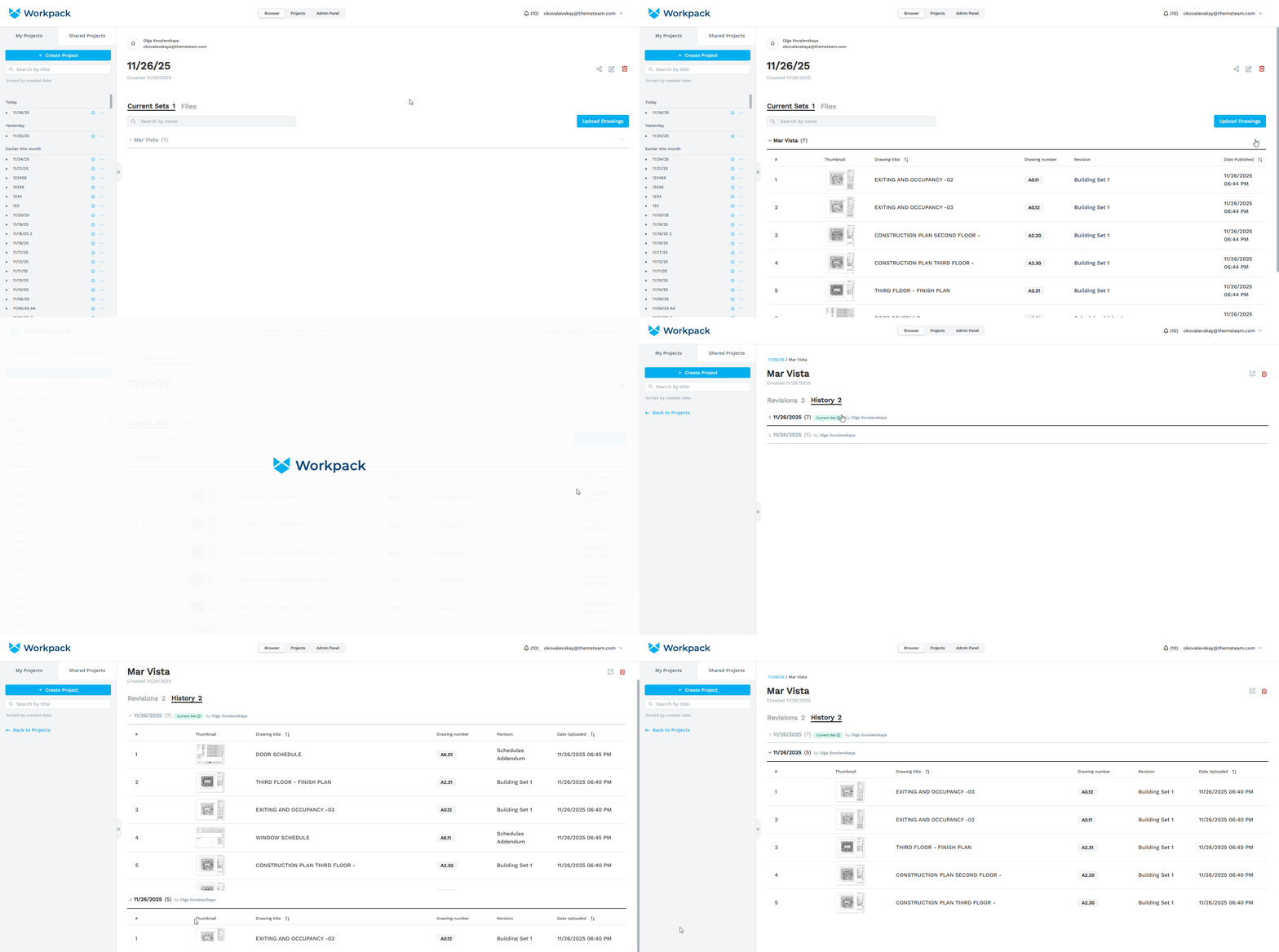
- Now you can view a Drawing Set’s Update History - the list of all previous versions of the Current Set (which are created after each revision upload). It also shows when and by whom each version was created.
Condition Attachments
- Condition Attachments – Similar to 'backouts', these are takeoff Items that can be linked to parent Takeoff Items in other Conditions so that the parent’s measurements automatically factor in the attachments. For example, the length of attachment items can be subtracted from the parent Condition’s total length.
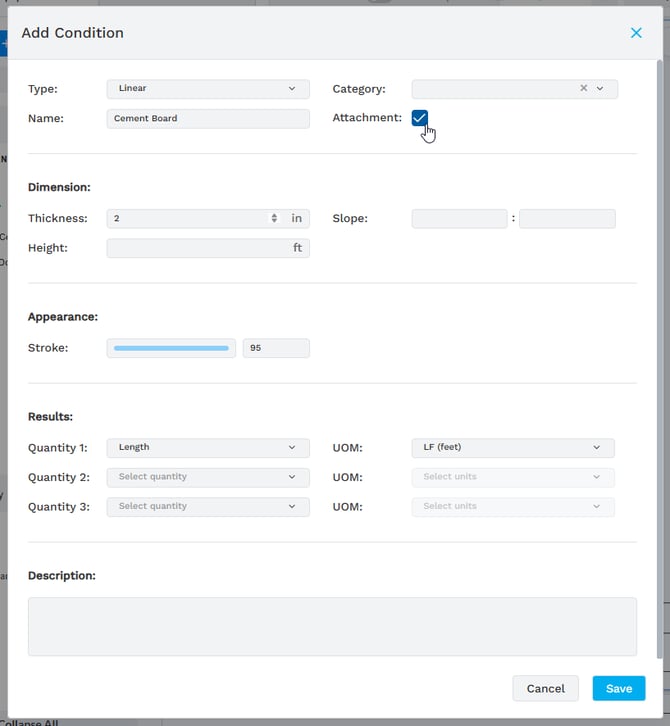
- Every Condition type can be an attachment. Users can assign the attachment option when creating a Condition:
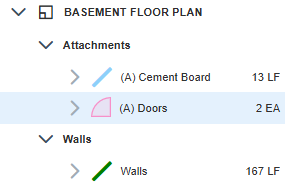
- Attachments have prefix ‘(A)’ in their names:
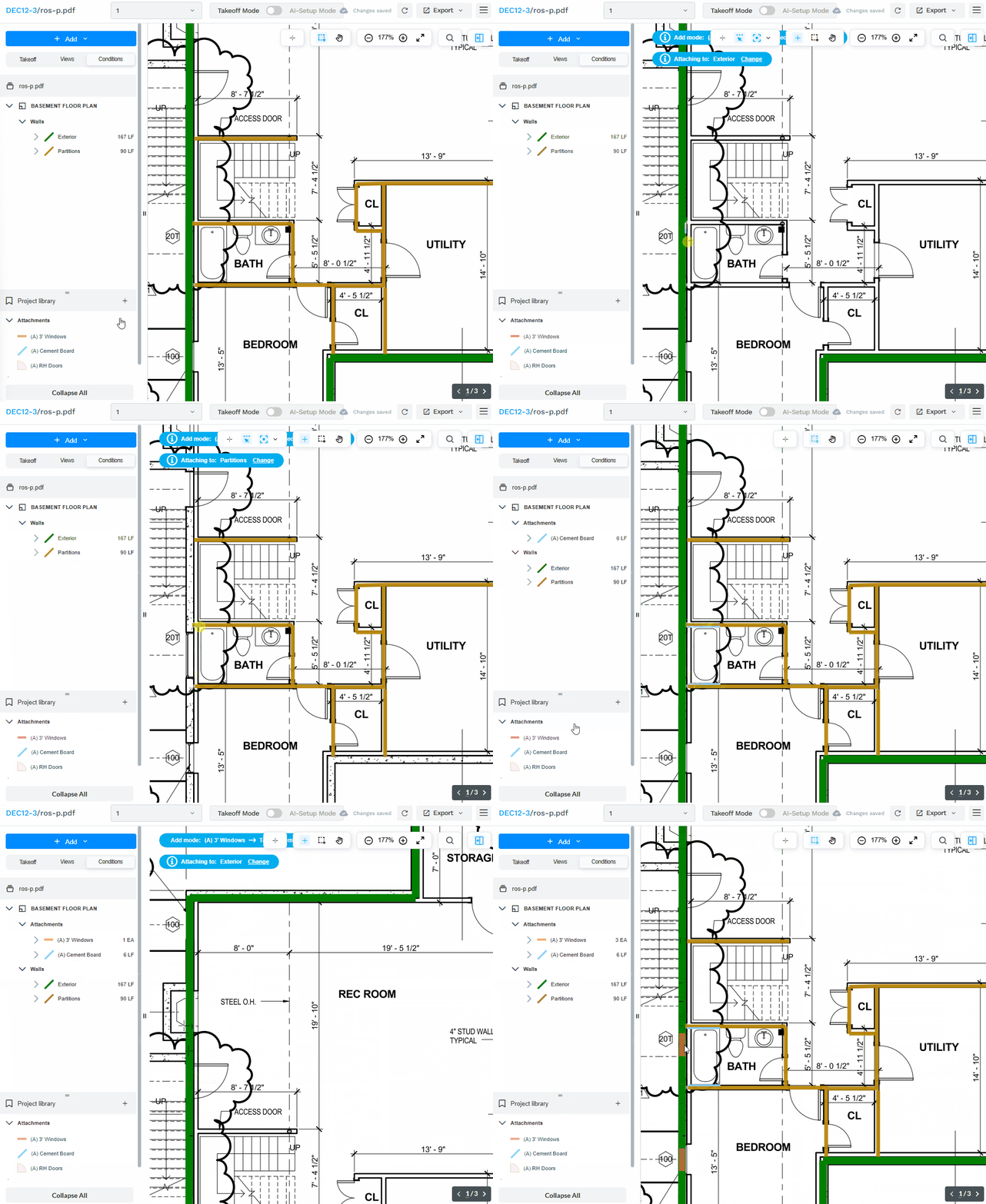
- Attachment Items can be attached to one parent Condition at a time. The workflow is the following:
- Select an Attachment in the Left Panel.
- Hit space bar - you entered Adding Mode for selected Attachment.
- Click on the parent Condition.
- Start drawing.
Conditions: Hide
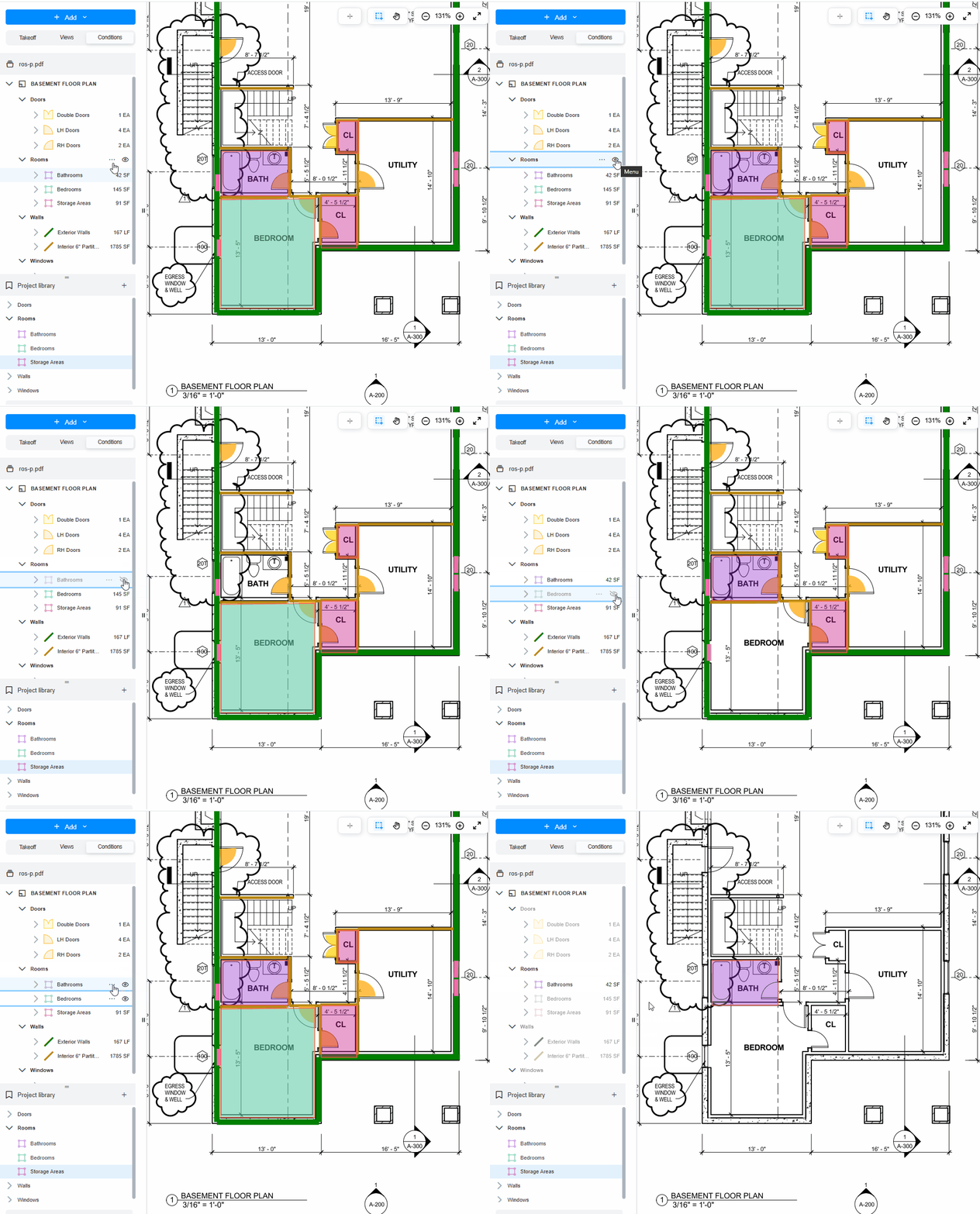
- Now users have the ability to turn off the visibility of Conditions by Categories and for each Condition separately.
- Three new options are added:
- Hide - to turn the visibility of a Category or a Condition.
- Show - to turn the Category/Condition visibility back on.
- Show only - this option switches off all other Conditions on the drawing.
- Demo:
Redirect Back to Document After Login
- This improvement relates to the case when a user tries to navigate to a direct link like https://app.workpack.ai/pdfviewer/{DocumentId} while being unauthorized in Workpack.
- Previously, after being prompted to log in, users were redirected to the ‘Browser’ page, and not the original link clicked.
- Now, the login page redirects back to the document viewer.
Drawing Sets: Sort from Newest to Oldest
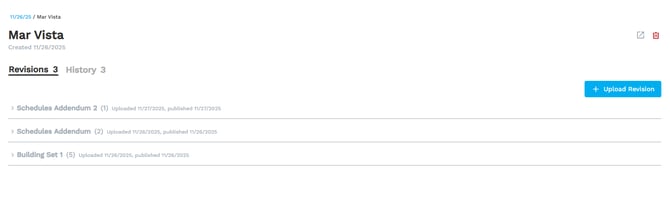
- Sets in the Current Sets tab and revisions in the Revisions tab are sorted from the newest (at the top) to oldest (at the bottom) for easier navigation.
'Back to Projects' Button in the Navigation Panel
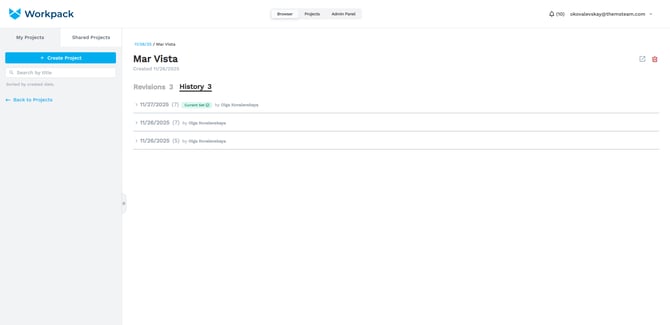
- When a user enters a drawing set (the Revisions/History screen), a ‘Back to Projects’ button appears in the navigation panel for easier navigation back to the list of projects.
Create Project from List of Revisions Doesn't Work Properly
- Previously, creating a new project from the list of revisions would cause issues: it would visually change the name of the current project and the new project would not be opened. This has now been fixed.