
This release introduces key enhancements to project setup, condition organization, and version tracking, while also improving usability across takeoff workflows. Highlights include project copy, multi-level condition folders, metric unit support, collaboration groundwork, and targeted fixes that make DESTINI Takeoff 1.0 more efficient and consistent.
New Features
- TK-650 Copy Project Users can now duplicate an existing project saving time when setting up similar estimates.
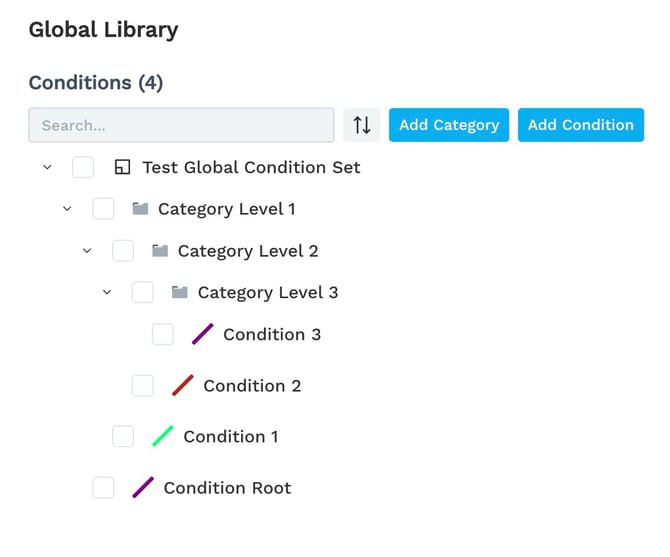
- TK-644 Conditions: Multi-level Categories (Folders) Conditions can now be organized into multi-level folder hierarchies for better categorization and navigation.
- TK-677 Project Versioning Allow users to track and manage changes over time.
- TK-669 Support Metric Units in Conditions Now support metric unit types alongside imperial, with updated default dimension values.
- TK-657 Keep User on Same Page and Tab After Refresh The application now preserves the user's current page and active tab (AI Takeoff, Views, Conditions, Setup) after a browser refresh.
Improvements
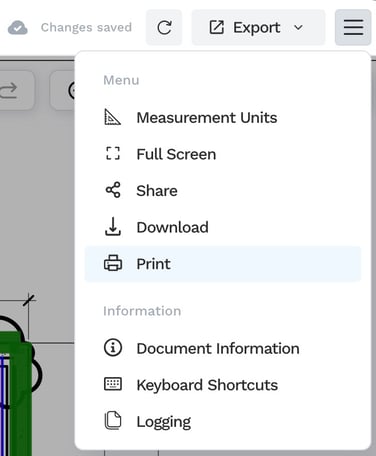
- TK-678 Print Conditions Added the ability to print conditions and fixed an issue where only the current page was being printed.
Print
or Download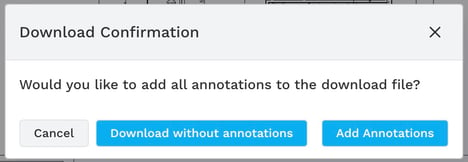
- TK-627 Drawing Sets: Optimize Re-calibration Improved performance and workflow for re-calibrating drawing sets.
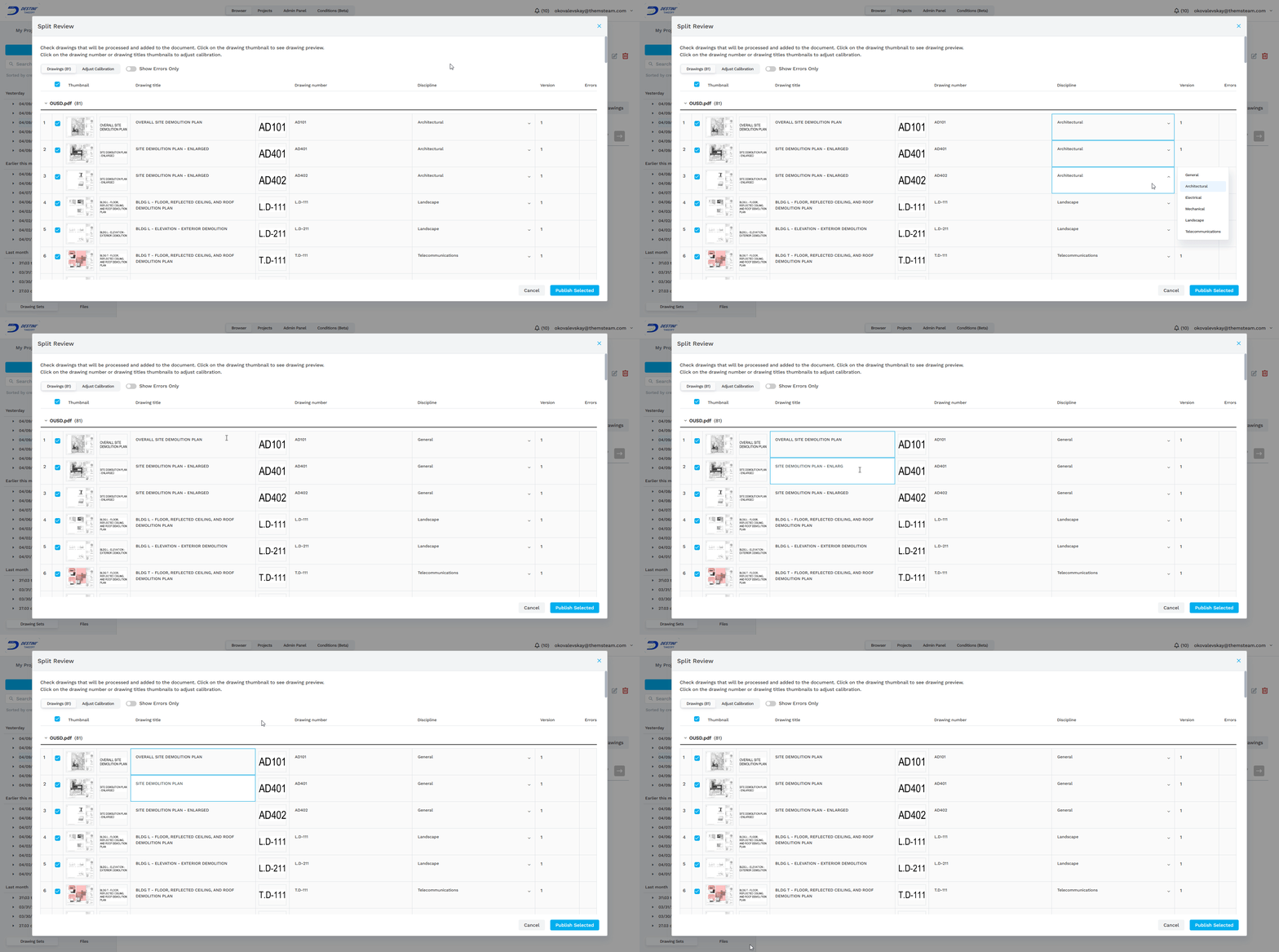
- TK-630 Drawing Sets: Sort by Title/Number/Discipline in Split Review Users can now sort drawing sets by title, number, or discipline within the Split Review screen.
- TK-629 Drawing Sets: Bulk Modify Disciplines in Split Review Added bulk editing support for assigning disciplines to multiple drawing sets at once in Split Review.
- TK-640 Show Fill Color and Outline for Areas in Condition Library Area conditions in the Condition Library now display both fill color and outline for easier visual identification.
- TK-641 Lines Snap at Right Angles Line conditions now support snapping at right angles for more precise takeoff measurements.
- TK-664 Folder Tree Structure in Mapping Popup The mapping popup now presents conditions in a navigable folder tree structure.
- TK-670 Select Just-Created Condition Newly created conditions are now automatically selected after creation.
- TK-673 Add Mode: Switch to Selected Condition on Select While in add mode, users can seamlessly switch between conditions by clicking them directly.
- TK-681 Condition Library: Company Condition Sets Introduced company-wide condition sets in the Condition Library for standardized takeoff conditions across teams.
- TK-660 Multi-User Takeoff: Backend Infrastructure for multi-user collaboration, including real-time streaming of user actions and an audit trail tracking who made changes and when.
- TK-648 Rebranding to DESTINI Takeoff Updated all logotypes to reflect the new DESTINI Takeoff branding.
Bug Fixes
- TK-646 Dimensions Inconsistent Fixed an issue where dimension values were displaying inconsistently.
- TK-680 Error Message When Trying to Reset Password Resolved an error that occurred when users attempted to reset their password.
If you need help with DESTINI Takeoff, contact our Support team using the form linked at the top of this website.
Suggest an Improvement to this Article