
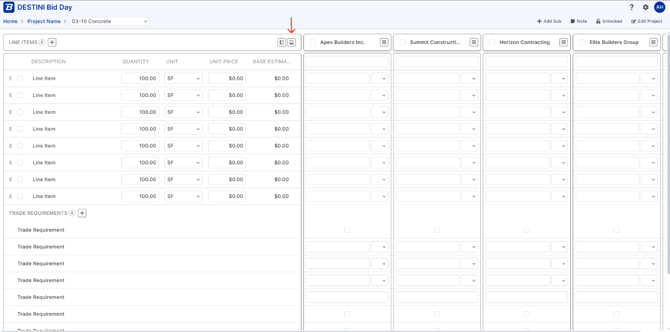
A collapse/expand button is available on the Bid Package sub header. When you click it, bidder cards condense down to show only the company name, hiding the contact details and status rows. This gives you significantly more screen real estate to focus on your line items and bid data.
Click the button again to expand the sub header and bring back the full view with all bidder details.
How It Works
-
Collapse — Click the collapse button while docked at the top of the page. Bidder cards will shrink to display only the company name.
-
Expand — Click the expand button to restore the full sub header, including contact details and status information.
-
Scrolling — When you scroll down the page, the button is automatically disabled to keep your view stable.
-
Remembers Your Preference — Your last collapse/expand choice is saved automatically. If you navigate away from the Bid Package page and return later, the view will be exactly how you left it.
During busy bid days, every bit of screen space counts. This feature lets you focus on what matters most: comparing bids and reviewing line items without losing access to bidder details when you need them.
This is part of Bid Day 2026 1.6 release.