
This article offers a solution to the 'Unable to Remove Fee' error that can occur when a user tries to delete a fee that is being referenced by another fee.
Here's an example of the error message:

The cause of this warning is simple; fees that are being referenced in the Costs Basis column of one or more other fees cannot be deleted. Before you can delete such a fee, you need to remove all the fees that reference it, or edit their Cost Basis parameters to remove the references to the fee you want to delete.
In the below example, we are unable to delete the Contractors Fee in the Fee Editor:
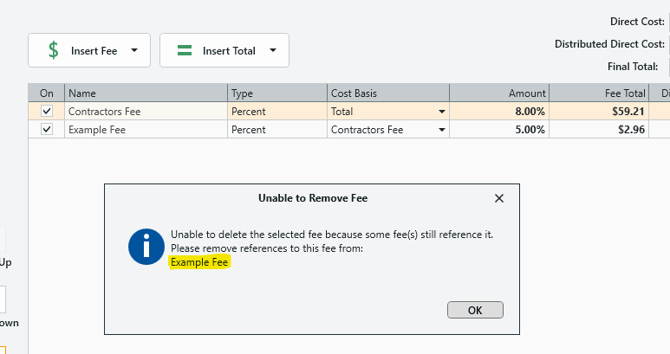
As you can see, the error message provides a helpful list of the fees that are referencing the Contractors Fee, preventing it from being deleted. In this case, we have an 'Example Fee' that references the Contractors Fee in its Cost Basis.
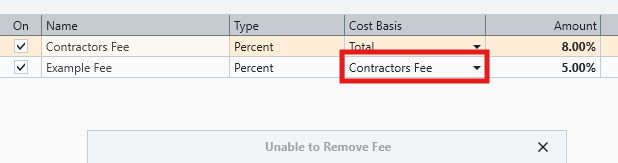
Removing this frees up the Contractors fee to be deleted without issue.
