
The Estimate Comparison sheet in the Standard Dashboard workbook is a side-by-side comparison tool for estimates at a WBS Property summary level. It allows you to load a comparison estimate into the Dashboard (typically, an earlier version of the current project) for variance calculations.
PowerBI and other macro-level cost history tools are excellent for analytical review of multiple projects and benchmarking exercises. This dashboard is intended to function at the micro level within a specific project.
To use the Estimate Comparison feature:
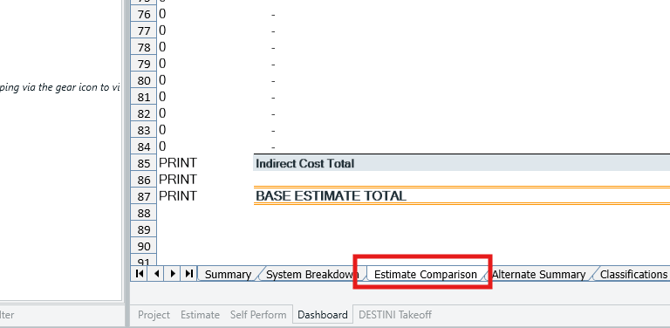
- Go to the Dashboard View and navigate to the Estimate Comparison sheet.
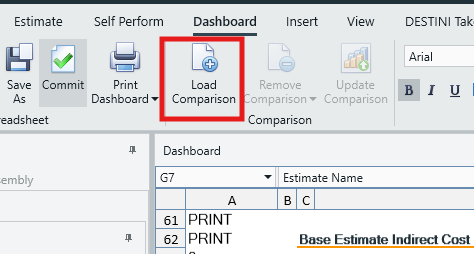
- Click the Load Comparison button in the main ribbon.
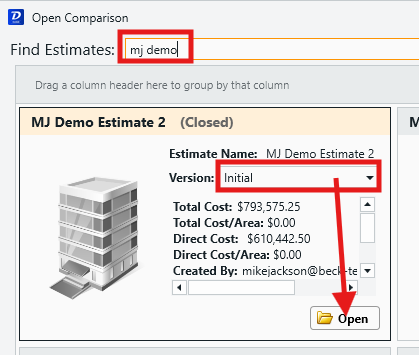
- In the Open Comparison window search for your project and select the appropriate version.
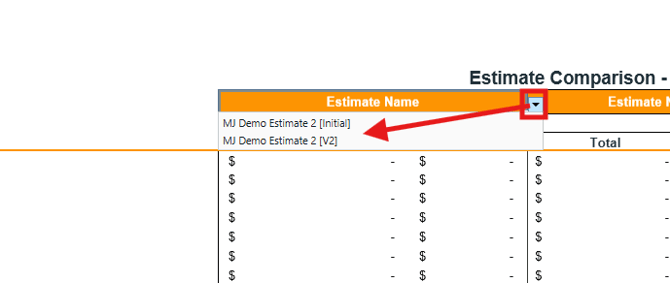
- In the Estimate Comparison Dashboard, click the Estimate Name cell dropdowns and select the Estimates you wish to view in the respective columns.
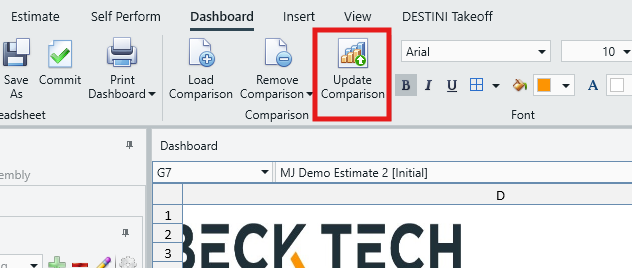
- If a change is made to the current estimate, click Update Comparison in the main ribbon to update the Estimate Comparison dashboard with the latest data.
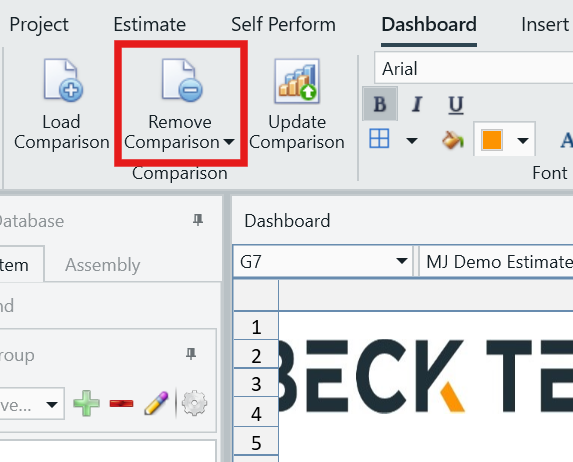
- If you want to remove an estimate from the Estimate Comparison, click Remove Comparison in the main ribbon, then click the name of the estimate you want to remove.
Submit Your Suggestions to Help Improve This Article