
Before you create or copy an estimate, you choose a cost database using the Connect to Cost Database option in DESTINI Cloud: Estimator.
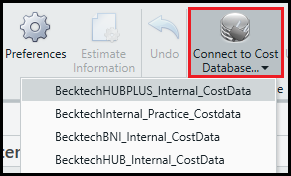
After you select a database and click an option to create or copy an estimate, Estimator prompts you to select a cost-database snapshot from the Regions drop-down list.

A region is a snapshot of cost data for a geographic area.
The information displayed in the Regions list depends on whether your organization is using the hosted legacy product, Data Manager, or the new cloud service, DESTINI Cost Library (scheduled for release later this year).
Data Manager users see the following options:
-
Use latest legacy snapshot - The last snapshot taken in the selected cost database. Any modifications in the database since the last snapshot was created will not be included in your estimate.
-
Create new legacy snapshot - A new snapshot that captures all changes made in the selected cost database.
Choose the option that best suits your use case.