
How to Optionally Include Detail Pages in a Report
This article explains how to add a parameter to a banded report template that allows detail pages to be optionally included when the report is run.
Open the Report Designer
-
In DESTINI Cloud, open an Estimate (any estimate; it does not matter which).
-
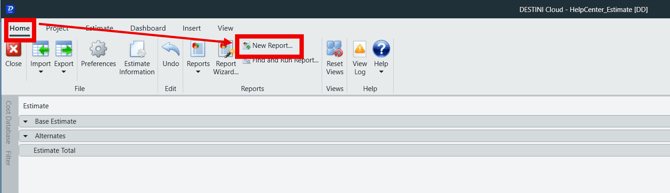
Navigate to the Home View.
-
In the main Ribbon, click New Report…
-
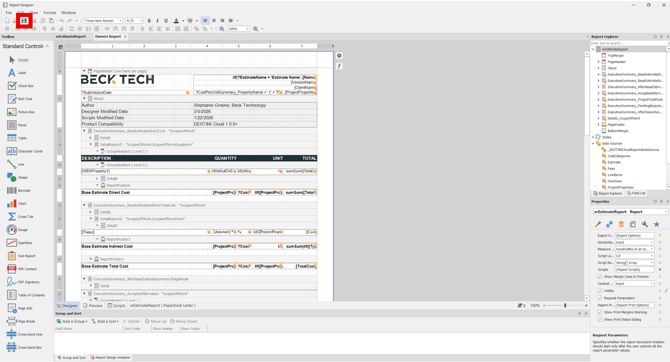
The Report Designer will be launched.
-
Open the Report Template File
-
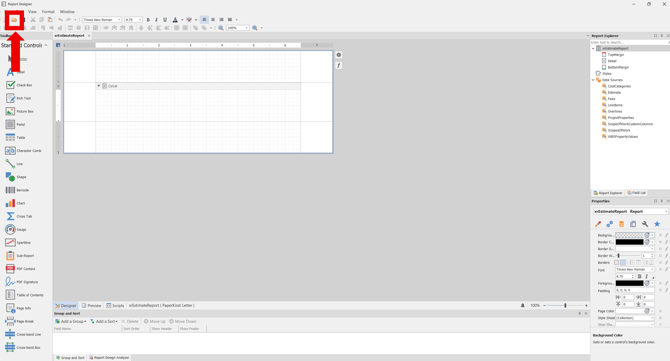
In the Report Designer, click the Open button.
-
Navigate to the location of the report template file (.repx) that you want to modify.
Open the Field List
-
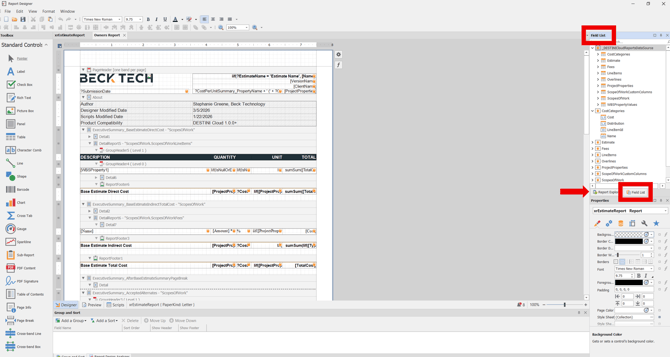
On the right side of the screen, locate the Report Explorer.
-
Using the tabs, switch to Field List.
Add a Report Parameter
-
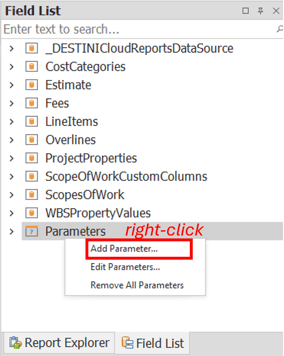
At the bottom of the Field List, right-click Parameters.
-
Select Add Parameter…
Configure the Parameter
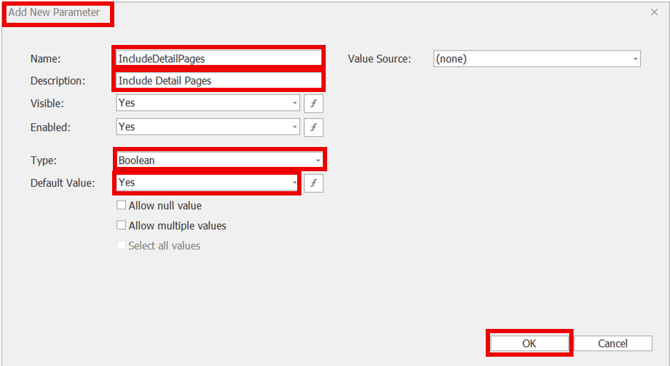
In the Add New Parameter window, configure the following values:
-
Name: IncludeDetailPages
-
Description: Include Detail Pages
-
Type: Boolean
-
Default value: Yes
-
Click OK.
Open the Report Explorer
-
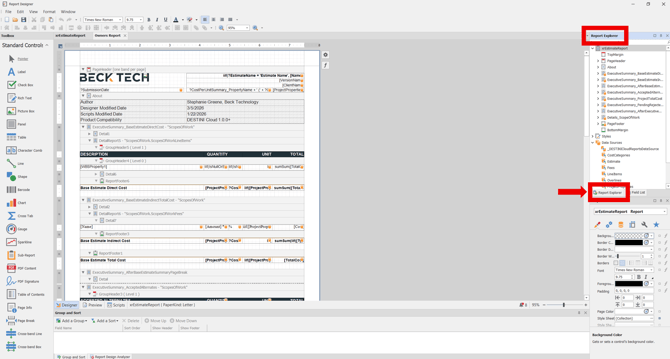
On the right side of the screen, locate the Field List.
-
Using the tabs, switch to Report Explorer.
Select the Detail Page
-
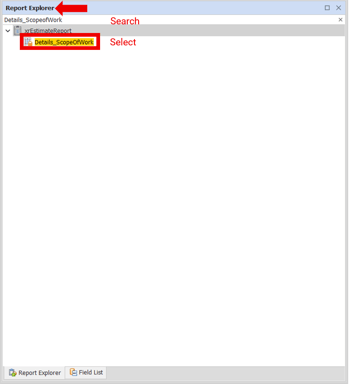
In the Report Explorer, search for and select Details_ScopeOfWork.
Update the Visibility Property
-
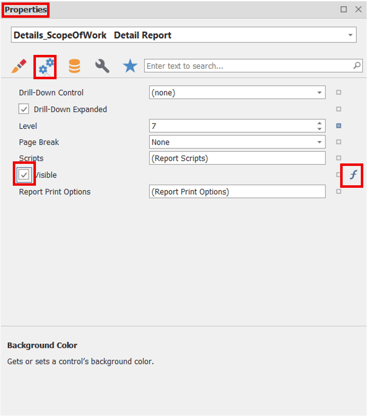
On the right side of the screen, locate the Properties panel.
-
Open the Expression Editor for the Visibility property:
-
In the Properties panel, click the Gears (Behavior) tab.
-
Locate the Visible property.
-
On the right side of the Visible field, click the Function button.
-
Modify the Visibility Expression
-
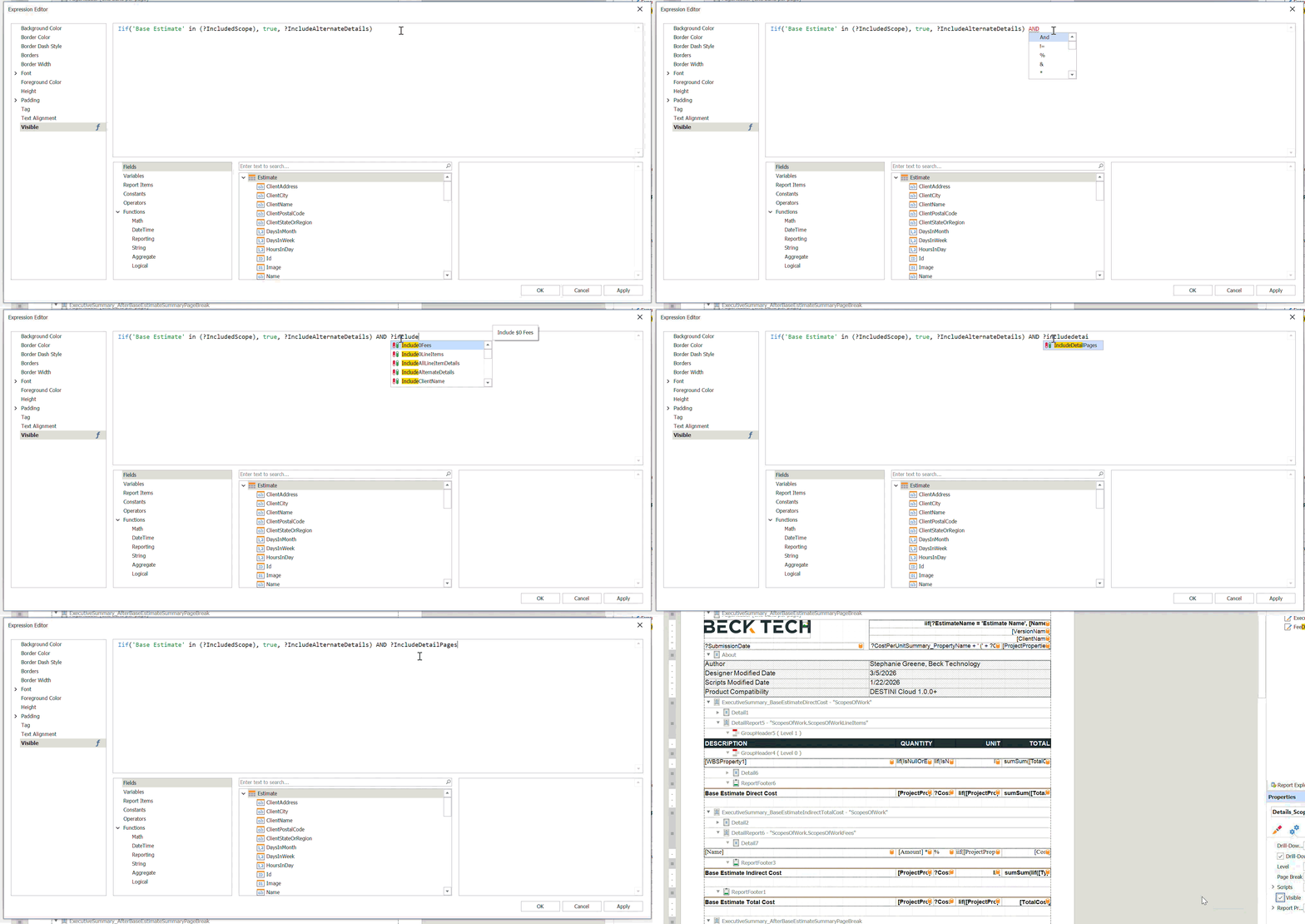
In the Expression Editor window, append the following to the existing formula:
-
AND ?IncludeDetailPages
-
-
Click OK.
Save and Run the Banded Report
-
Save the banded report.
- Run the report in DESTINI Cloud: Estimator and change the Parameter toggle to test that the Details page shows and hides when appropriate.
Suggest an Improvement to this Article