
DESTINI Cloud Reports include the ability to optionally print row numbers. By default, all line items are prefixed with their Item Number. With one simple change, you can replace the Item Number with a Row Number.
In this article, we will show you how to print the report’s Row Number using the Line Item Identification parameter.
Print Row Numbers at Runtime
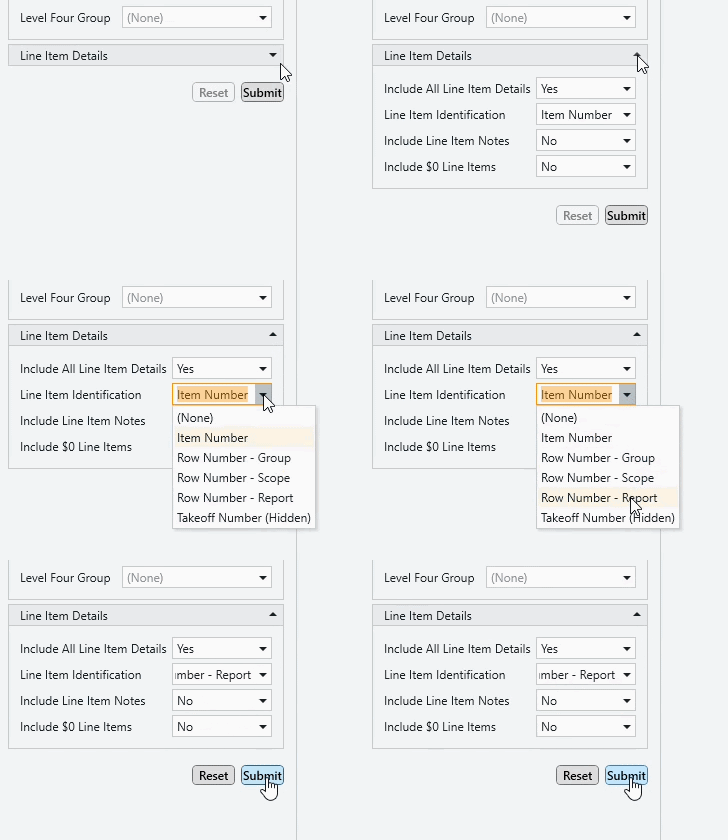
- Inside DESTINI Cloud: Estimator, run your report
- When the Report Previewer window opens, locate the Parameters panel on the left side of your screen.
- Expand the Line Item Details group
- Set Line Item Identification to Row Number - Report using the drop-down
- Click the Submit button
Row numbers always start at 1 and increase by 1. Depending on your selection:
Group restarts numbering for each WBS Property group
Scope restarts for the Base Estimate and each alternate
Report continues numbering across the full report
Update the Parameter’s Default Value
- Open the Report Designer
- In DESTINI Cloud: Estimator, open an Estimate (any estimate, it doesn’t matter which).
- Navigate to the Home View
- In the main Ribbon, click on New Report…
- Report Designer will be launched
- In the Report Designer, open your report template file
- Click the Open button
- Navigate to the location of the report template file (.repx) that you want to modify
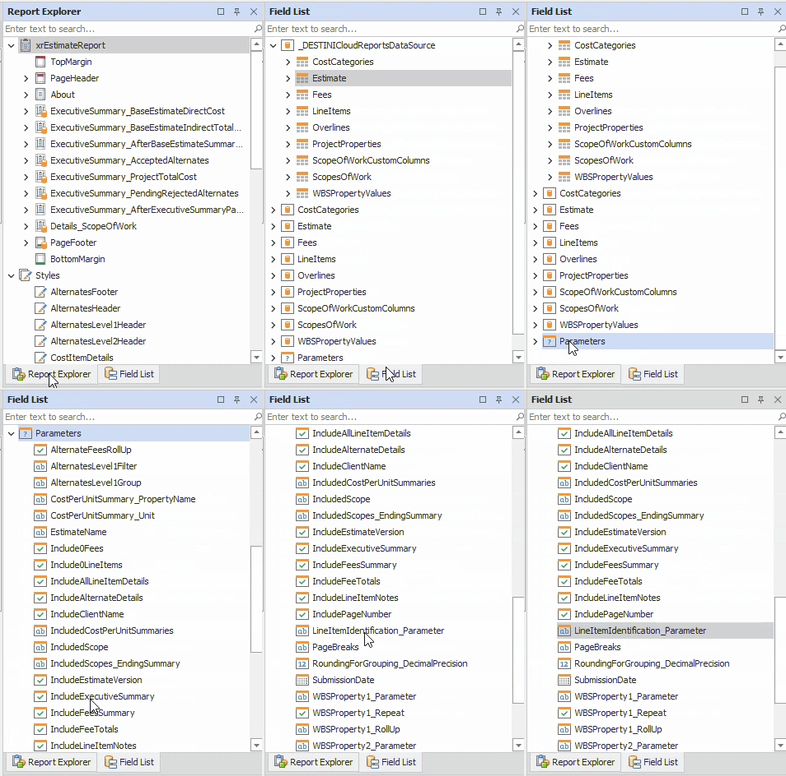
- On the right side of your screen, open the Field List
- Locate the Report Explorer on the right side of the screen.
- Using the tabs, switch to the Field List.
- At the bottom of the Field List, expand Parameters and select LineItemIdentification_Parameter
5. On the bottom right side of your screen, locate the Properties panel.
6. Set the Value as Row Number - Report and press the Enter key on your keyboard.
7. Save and run your report in DESTINI Cloud: Estimator
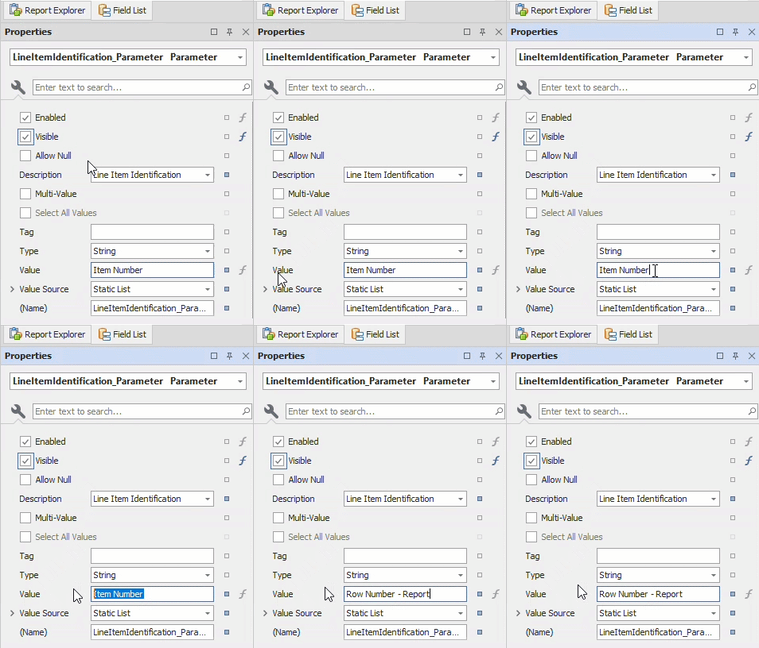
Alternative options include Row Number - Group and Row Number - Scope
Suggest an Improvement for this Article