
Our Reports start with an Executive Summary that highlights the Base Estimate Summary, Alternates Summary, and Project Total Cost. Depending on your company’s preferred format, you may want this summary to appear at the end of the report instead.
This article explains how to reposition the Line Item Details at the beginning so the Executive Summary is displayed last.
Open the Report Designer.
1. In DESTINI Cloud: Estimator, open an Estimate (any estimate, it doesn’t matter which).
2. Navigate to the Home View > New Report, Report Designer will be launched.
3. In the Report Designer, open your report template file.
-
Click the Open button
-
Navigate to the location of the report template file (.repx) that you want to modify
4. In the middle of your screen, right-click anywhere inside the Designer and select Edit and Reorder Bands…
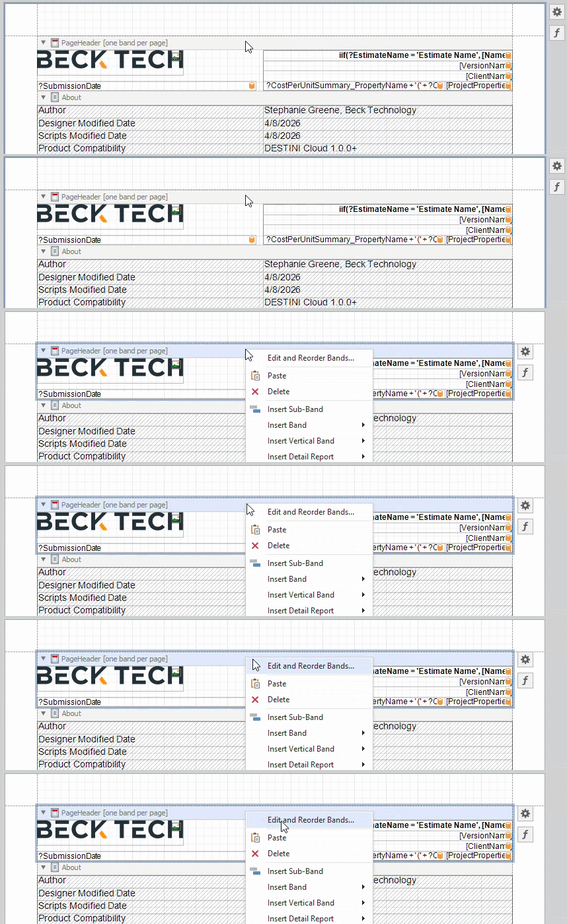
5. On the left side of the Report Editor window, select the Details_ScopeOfWork detail report node.
6. Using the Up arrow button, move this detail report above all “ExecutiveSummary” detail reports.
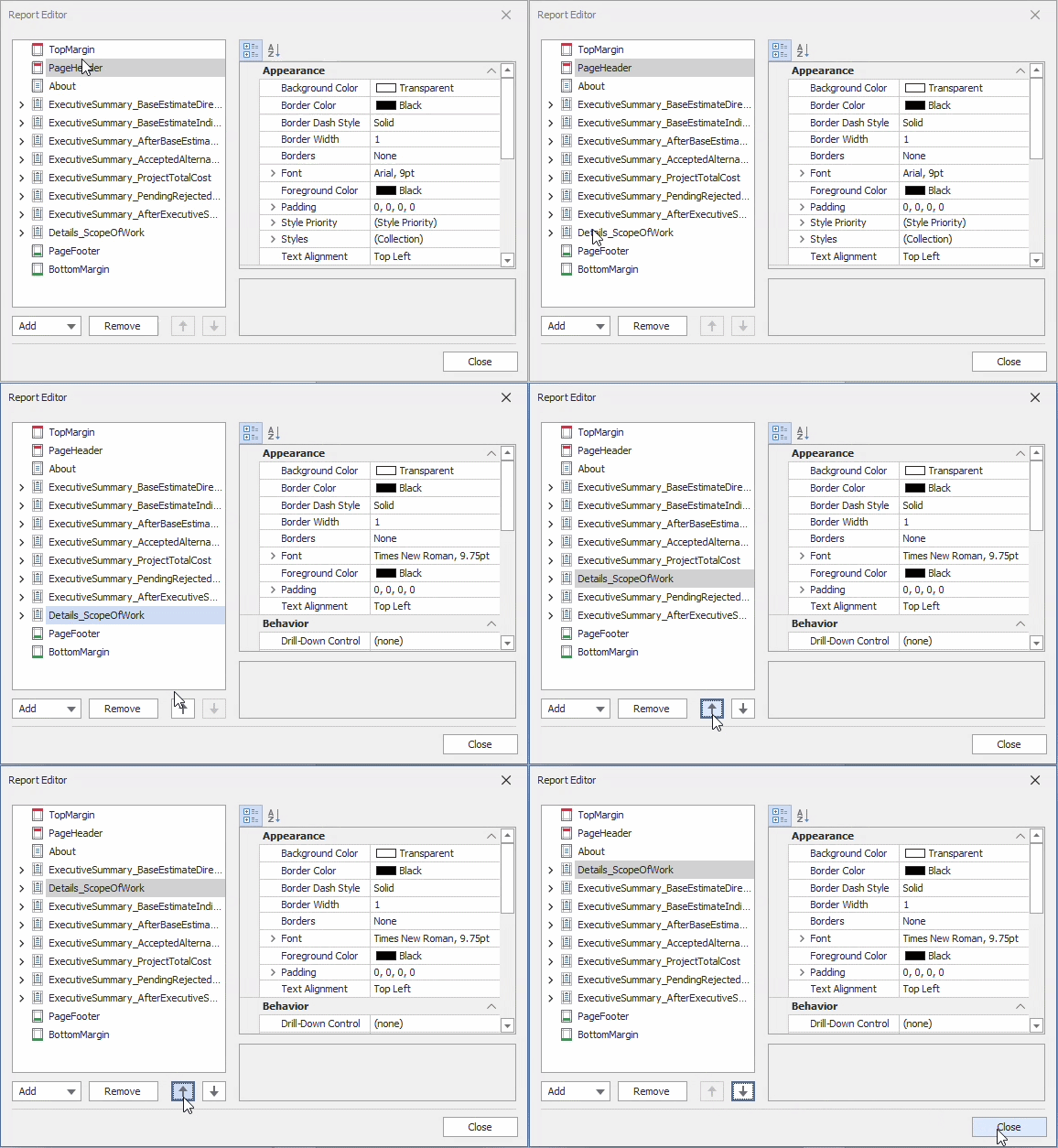
7. Click Close.
8. Save and run your report in DESTINI Cloud: Estimator.