
Merging estimates may be accomplished by using copy/paste from one estimate to another. Start by by opening two instances of DESTINI Cloud.
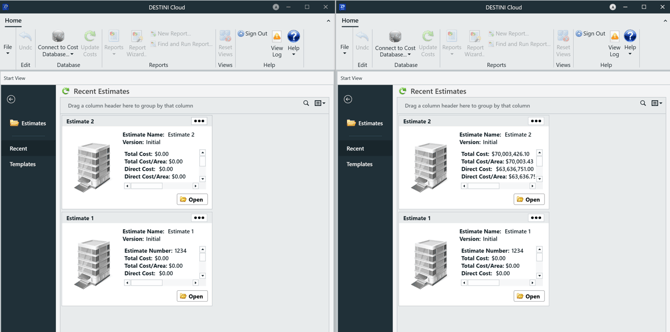
- Estimate 1 (the source estimate).
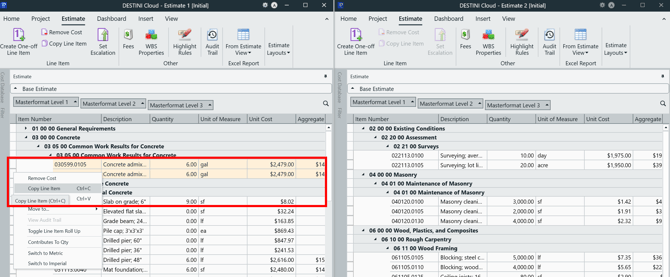
- In the Estimate View, select the line item(s) you want to move.
- Copy the selection (Ctrl+C or right-click > Copy).
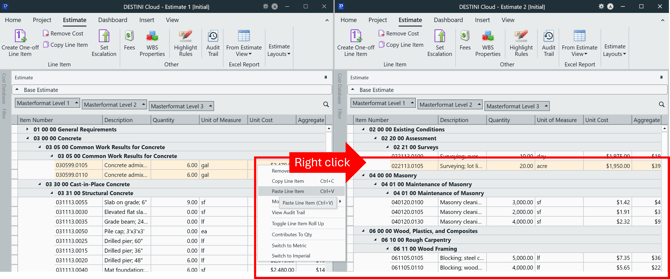
- Estimate 2 (the destination estimate).
- Click where you want the line item(s) to be inserted.
- Paste (Ctrl+V or right-click > Paste)
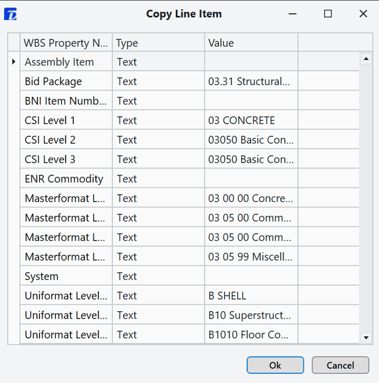
- Confirm WBS properties (click OK) when prompted.
5. Verify the pasted items. Note that this method brings over line items only.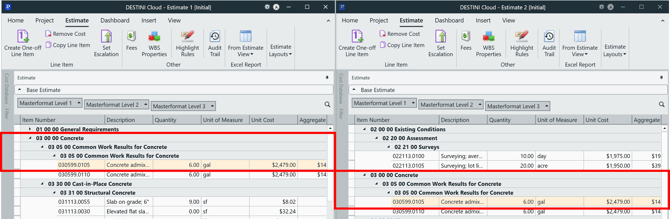
6. If you pasted the wrong items, undo (Ctrl+Z) and try again.
Assemblies: assembly line items may be selected, copied, and pasted as line items in the second estimate. No assembly information or structure transfers with copy/paste. Group by assembly will not result in seeing an assembly group for the pasted line items.
Suggest an Improvement for this Article