
DESTINI Estimator Cloud reports include a Cost/Unit summary in the Executive Summary and in line-item grouped rows. This summary helps users compare costs against a selected project property value or quantity, such as Total Building Area. 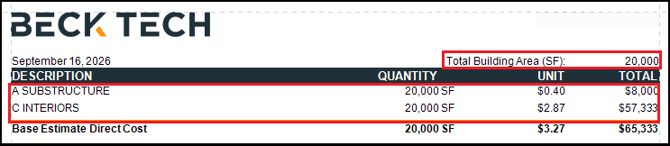
If an overline quantity is defined for line-item grouped rows in the Estimate View, reports display the overline quantity instead of a project property. In the following example, an overline quantity is defined for Masterformat Level 1, so the report displays the overline quantity instead of the project property.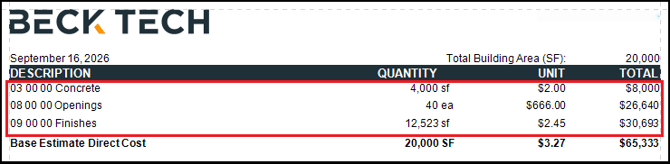
You can change the report to use a project property instead of the overline quantity.
Use the following procedure to make line-item grouped rows use a Cost/Project property in the Owners Report.
Update the Executive Summary
- Open an estimate in DESTINI Cloud Estimator.
- Navigate to Home > New Report. Report Designer opens.
- Click File > Open.
- Navigate to the folder with the report template file (.repx) you want to modify.
- Click the .repx file to open it.
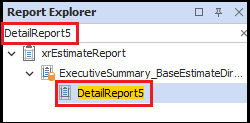
- In the Report Explorer panel on the right side of your screen, search for and select DetailReport5.
- In Designer in the middle of your screen, locate the selected detail report from the previous step.
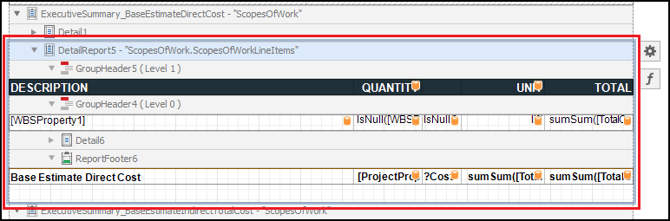
- Select the first quantity cell under the Quantity column header.
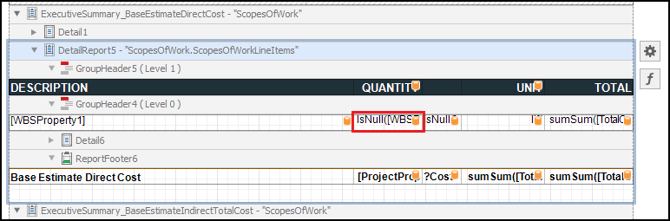
- Click the Function button to the right of the cell.
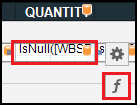
- Replace the Text Expression with the following and click OK:
[ProjectProperties].[CostPerUnitSummary_PropertyValue]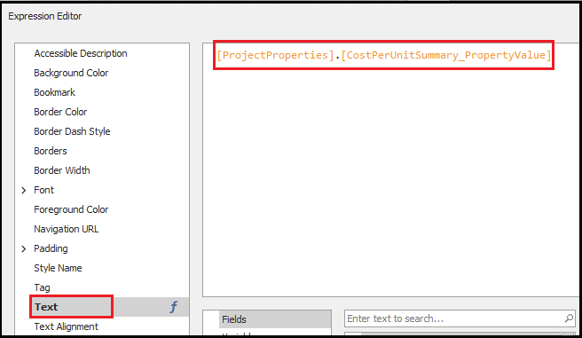
- In Designer, click the cell to the right of the cell you just configured and then click the Function button.
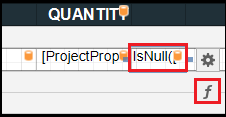
- Replace the Text Expression with the following and click OK:
?CostPerUnitSummary_Unit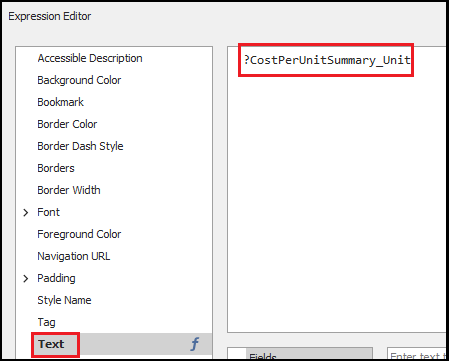
- In Designer, click the cell to the right of the cell you just configured and then click the Function button.
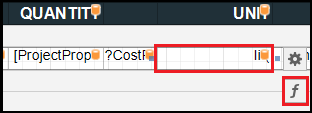
- Replace the Text Expression with the following and click OK:
Iif(IsNullOrEmpty(?WBSProperty1_Parameter), '',NOT 'Level 1 Group' IN (?IncludedCostPerUnitSummaries), '',sumSum([TotalCost] / [ProjectProperties].[CostPerUnitSummary_PropertyValue]))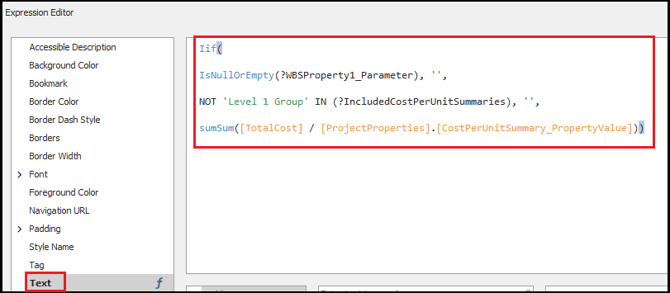
Update the Line Items Detail Report – Quantity Cells
- In Report Explorer, search for and select Details_LineItems.
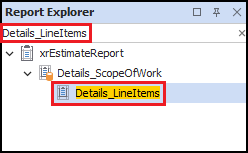
- In Designer, locate the detail report selected in the previous step.
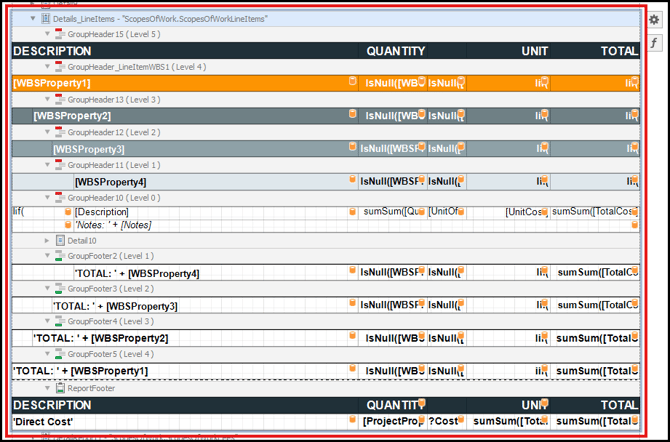
- Select the first quantity cell under the Quantity column header and then click the Function button.
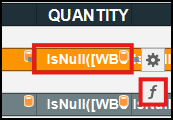
- Replace the Text Expression with the following and click OK:
[ProjectProperties].[CostPerUnitSummary_PropertyValue] - Repeats Step 3 and 4 to replace the Text Expression for each of the remaining quantity cells shown in the following screenshot. Skip the [Description] row, as shown here:
![Replace the expression for all cells in the column except the [Description] cell](https://howto.beck-technology.com/hs-fs/hubfs/image-png-Sep-16-2026-04-16-23-1617-PM.png?width=635&height=482&name=image-png-Sep-16-2026-04-16-23-1617-PM.png)
Update the Line Items Detail Report - Unit of Measure Cells
- Repeat the previous procedure for each cell in the next column to the right.
- Replace the Text Expression for each cell with the following and click OK:
?CostPerUnitSummary_Unit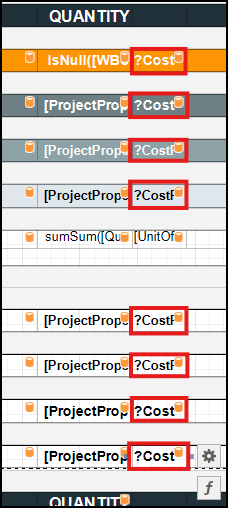
Update the Line Items Detail Report – Unit Cost Cells
- Replace the Text Expression for each Unit Cost cell shown in the following screenshot.
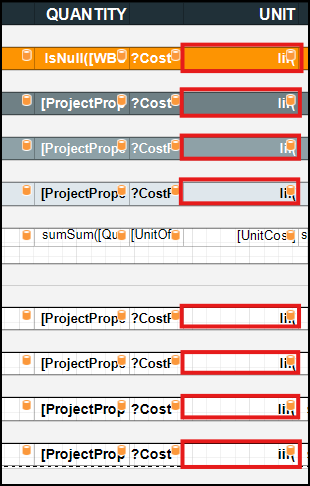
- Replace the expression for each cell with the expression shown in the following table:
Cell
Text Expression
WBS Property 1 Group Header
Iif(
NOT 'Level 1 Group' IN (?IncludedCostPerUnitSummaries), '',
NOT ?IncludeAllLineItemDetails, sumSum([TotalCost] / [ProjectProperties].[CostPerUnitSummary_PropertyValue]),
sumSum(Iif([WBSProperty1] in (?WBSProperty1_RollUp), 1, 0)) != 0, sumSum([TotalCost] / [ProjectProperties].[CostPerUnitSummary_PropertyValue]),
'')
WBS Property 2 Group Header
Iif(
NOT 'Level 2 Group' IN (?IncludedCostPerUnitSummaries), '',
NOT ?IncludeAllLineItemDetails, sumSum([TotalCost] / [ProjectProperties].[CostPerUnitSummary_PropertyValue]),
sumSum(Iif([WBSProperty2] in (?WBSProperty2_RollUp), 1, 0)) != 0, sumSum([TotalCost] / [ProjectProperties].[CostPerUnitSummary_PropertyValue]),
'')
WBS Property 3 Group Header
Iif(
NOT 'Level 3 Group' IN (?IncludedCostPerUnitSummaries), '',
NOT ?IncludeAllLineItemDetails, sumSum([TotalCost] / [ProjectProperties].[CostPerUnitSummary_PropertyValue]),
sumSum(Iif([WBSProperty3] in (?WBSProperty3_RollUp), 1, 0)) != 0, sumSum([TotalCost] / [ProjectProperties].[CostPerUnitSummary_PropertyValue]),
'')
WBS Property 4 Group Header
Iif(
NOT 'Level 4 Group' IN (?IncludedCostPerUnitSummaries), '',
NOT ?IncludeAllLineItemDetails, sumSum([TotalCost] / [ProjectProperties].[CostPerUnitSummary_PropertyValue]),
sumSum(Iif([WBSProperty4] in (?WBSProperty4_RollUp), 1, 0)) != 0, sumSum([TotalCost] / [ProjectProperties].[CostPerUnitSummary_PropertyValue]),
'')
Line Item’s Row
Skip, leave as-is
WBS Property 4 Group Footer
Iif(
NOT 'Level 4 Group' in (?IncludedCostPerUnitSummaries), '',
sumSum([TotalCost] / [ProjectProperties].[CostPerUnitSummary_PropertyValue]))
WBS Property 3 Group Footer
Iif(
NOT 'Level 3 Group' IN (?IncludedCostPerUnitSummaries), '',
sumsum([TotalCost] / [ProjectProperties].[CostPerUnitSummary_PropertyValue]))
WBS Property 2 Group Footer
Iif(
NOT 'Level 2 Group' in (?IncludedCostPerUnitSummaries), '',
sumSum([TotalCost] / [ProjectProperties].[CostPerUnitSummary_PropertyValue]))
WBS Property 1 Group Footer
iif(
NOT 'Level 1 Group' in (?IncludedCostPerUnitSummaries), '',
sumsum([TotalCost] / [ProjectProperties].[CostPerUnitSummary_PropertyValue]))
- Save and run your report.
Related Articles