
When you create a new estimate, it is automatically populated with a predefined set of WBS Properties from your Cost Database. In addition to these defaults, you can create estimate-specific WBS Properties to capture new data, support custom line-item grouping, or meet unique project requirements.
Create a New WBS Property
You can add new WBS Properties directly from the Estimate View.
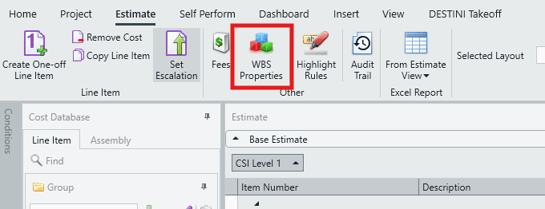
- In the Estimate View, click WBS Properties in the main ribbon to open the WBS Properties editor.
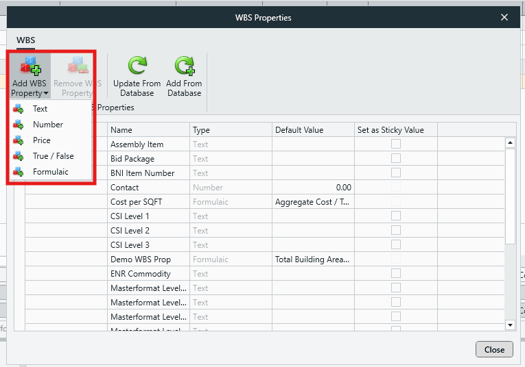
- Click Add WBS Property and select one of the following types:
- Text – Accepts numeric and text values.
- Number – Accepts numeric values only.
- Price – Accepts numeric values only and formats them as currency ($).
- True/False – Displays a checkbox that can be selected or cleared.
- Formulaic – Displays a value calculated from a defined formula.
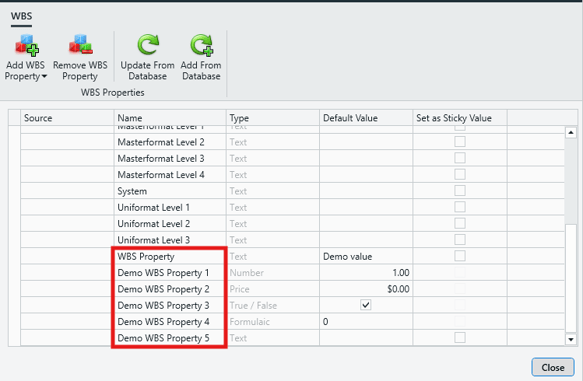
- New WBS Properties are added to the bottom of the WBS Properties list.
- Click in the Name cell to rename the WBS Property as needed.
Define Default Values for WBS Properties
Text, Number, and Price-type WBS Properties can be configured with a predefined list of default values. These values appear as a dropdown list in the Estimate View, helping ensure faster and more consistent data entry.
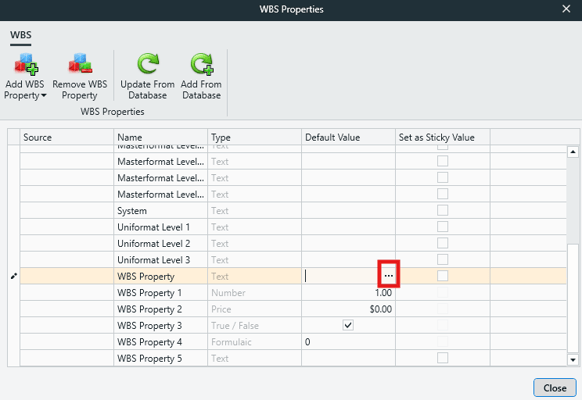
Formulaic WBS Properties are driven by a formula, configured via the 'f(x)' button in the Default Value cell.
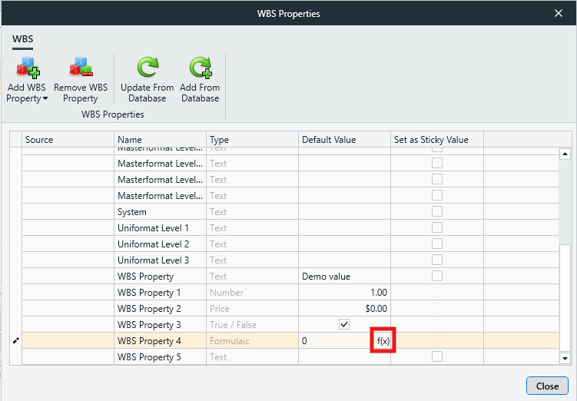
For step-by-step instructions on creating or modifying these default values, see the article:
Edit WBS Property Values.
New WBS Properties in the Estimate View
After a new WBS Property is created, it becomes immediately available throughout the estimate.
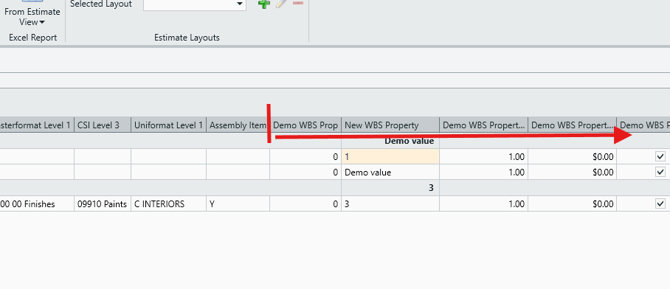
- The property is automatically added as a new column on the far right of the Estimate View.
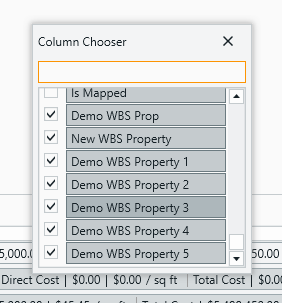
- The property also appears in the Column Chooser, allowing you to show or hide it as needed.
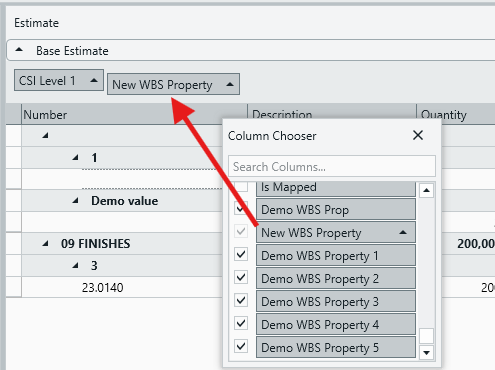
- New WBS Properties can be used as grouping criteria, making them useful for organizing line items by custom metrics or attributes.
Estimate-specific WBS Properties provide flexibility to tailor estimates without modifying the underlying Cost Database, enabling more precise organization and analysis of project data.
Submit Your Suggestions to Help Improve This Article