
Depending on your estimate’s line items and report grouping, a WBS Grouping footer may occasionally print as the first line on the next page, as shown in the following screenshot.
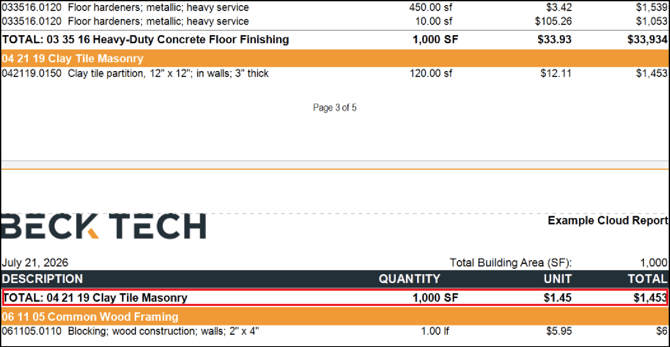
This happens when the WBS Grouping header and line items fit at the bottom of one page, but there is not enough remaining space to print the footer. As a result, the footer appears on the next page without its related context.
This article explains how to adjust your Group Band settings so WBS headers and footers stay together on the same page whenever possible, except when the group contains more line items than can fit on a single page.
- Open an estimate in DESTINI Cloud Estimator.
- Navigate to Home > New Report. Report Designer opens.
- Click File > Open.
- Navigate to the folder with the report template file (.repx) you want to modify.
- Click the .repx file to open it.
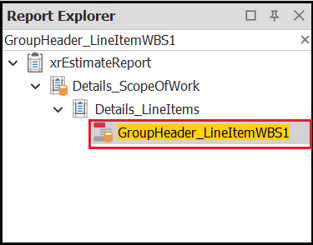
- In Report Explorer on the right side of your screen, search for and select GroupHeader_LineItemWBS1.
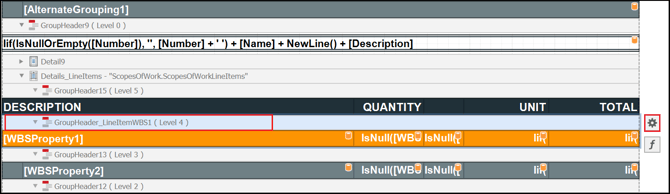
- In Designer in the middle of your screen, locate the selected GroupHeader band from the previous step and click the Gear button to the right.
- In the Group Header Tasks dialog box, select Group Union > Whole Page.
- Save and run your report.
This setting may increase the number of pages in your report. If a WBS Property 1 group does not fit on the current page, the report starts the entire group on the next page.
Test the report using different estimates and WBS Grouping combinations. If needed, use the following table to repeat these steps for WBSProperty2, WBSProperty3, and WBSProperty4 groupings.
|
Grouping |
GroupHeader Band |
|
WBSProperty1 |
GroupHeader_LineItemWBS1 |
|
WBSProperty2 |
GroupHeader13 |
|
WBSProperty3 |
GroupHeader12 |
|
WBSProperty4 |
GroupHeader11 |
Related Articles
GroupHeaderBand.GroupUnion Property