
Estimates that you have accessed are displayed on the Recent list on the Start View. But there may be occasions where you don't want a recently accessed estimate to remain in your Recent view (for example, after having opened another team member's estimate that you won't need access again in future, or want to avoid accidentally opening again).
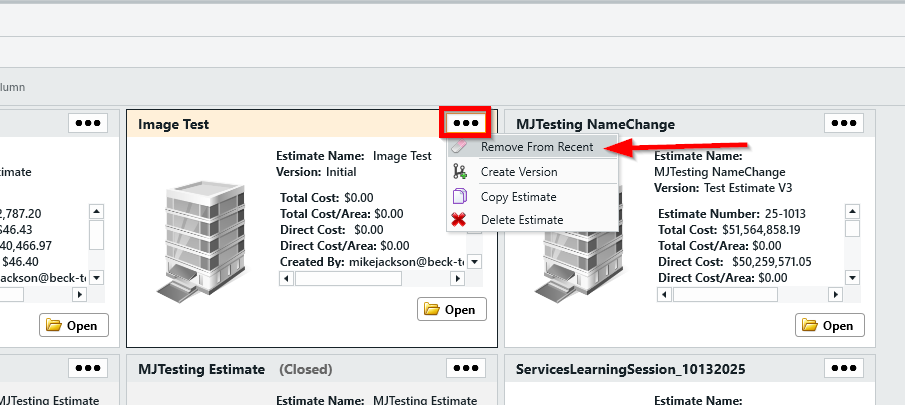
Estimates can be quickly removed from your Recent view via the ellipses menu in the estimate card:
NOTE: Removing an estimate from your Recent view does not delete the estimate from the database. However, to find that estimate in future, you will need to use the search feature in the Estimates view.