
Log files are often essential when trying to diagnose an issue. Including the log file with a Support ticket will reduce the amount of back and forth our team has to do to solve your issue.
To access DESTINI Cloud log files, first navigate to the Home tab, and on the far right on the ribbon is the View Log button.
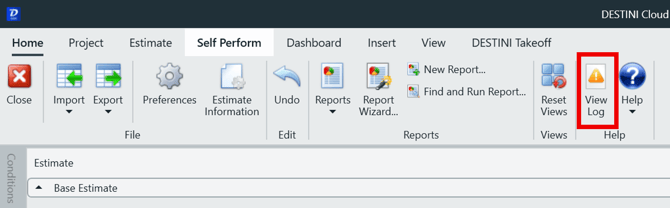
Pressing this button opens a text file (Notepad) containing all backend data of DESTINI. Save the file to your local computer, then send it to Beck Tech Support as a File upload using the Support form.
Accessing the Log files through File Explorer
You can also access log files using File Explorer by following these steps:
1. In File Explorer, type the following into the address bar and press Enter:
%appdata%\Destini Cloud
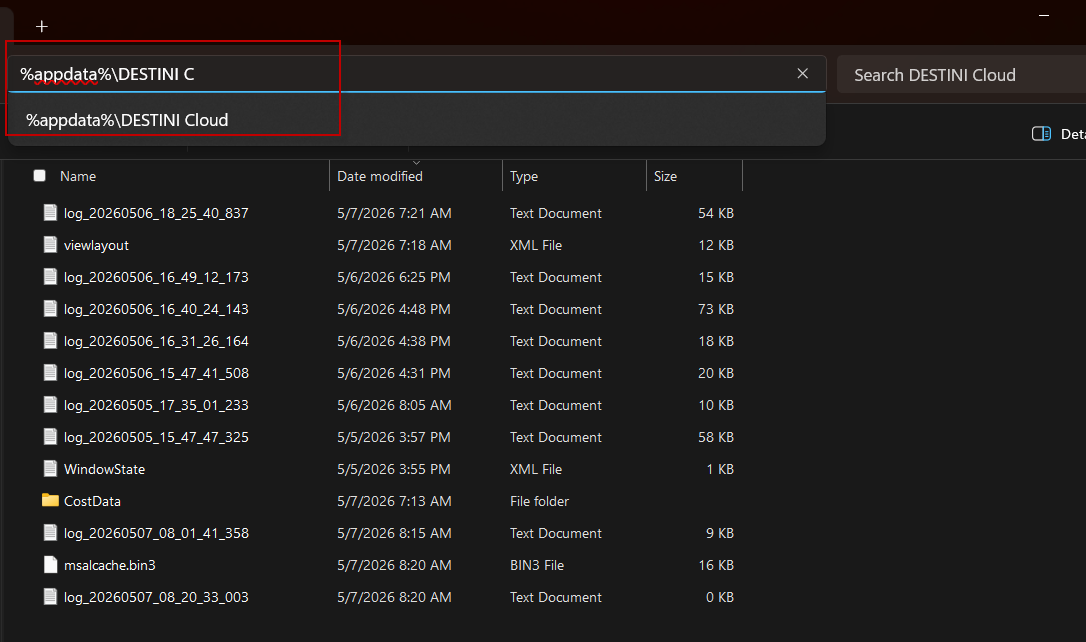
2. Locate and copy the log file for the relevant date and time, then send it to Support.
Suggest an Improvement for this Article