
Welcome to the DESTINI Cloud Help Center. This article offers a quick overview of the most important resources available on this site. If you have any questions or feedback about the Help Center or this article, please fill in the form at the bottom of this article to submit an email to Beck Technology.
NOTE: The Cloud Help Center contains content intended for clients on the Cloud platform. Hosted and On-Prem clients should continue to use the DESTINI Legacy Help Center.
Accessing the Help Center
The easiest way to access the Cloud Help Center is to create a bookmark pointed to: https://howto.beck-technology.com/cloud.
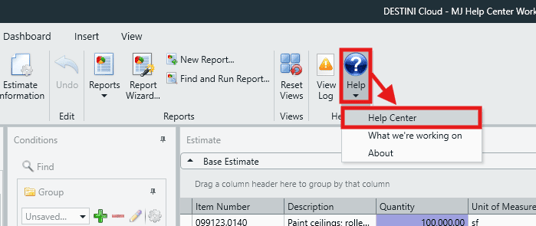
You can also access the Help Center directly from Estimator via the Help > Help Center option found in the Home ribbon.
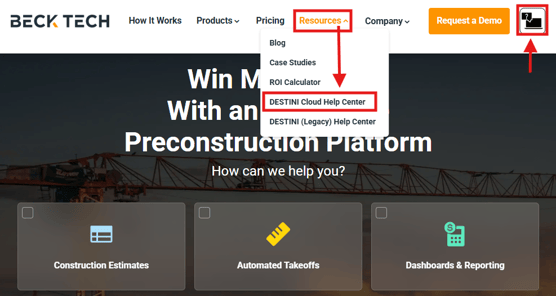
You will find a link to the Help Center on the main Beck Technology homepage.
Article Search: Best Practices
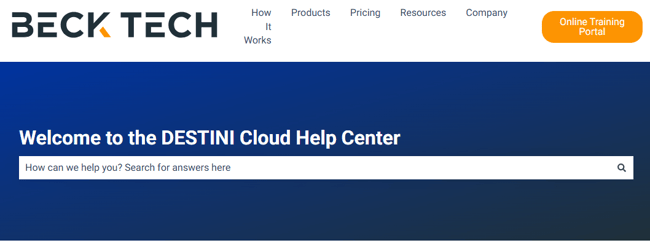
The Cloud Help Center homepage contains links to the main sections of the website, each one designed to offer an intuitive hub for articles related to DESTINI products, resources, and updates. Navigating to the relevant section and locating articles that you need should be quick and easy.
However, the homepage also offers a search feature, allowing users to quickly find articles on a specific topic. Here are some tips on how to get the best out of the search feature:
-
The homepage search does not work like Google. Avoid entering long search terms or full sentences.
-
Keep your search terms as short as possible - one or two words at most, if you can.
- As you enter a search term you will see quick results displayed instantly. This is useful, but is not comprehensive. If you don't see what you want in the quick results, hit the Enter key on your keyboard to be taken to a full list of search results.
Highlights and Navigation
Release Notes
You will find full release notes for all DESTINI products and the HUB and HUB+ Subscription via the Product Updates section.
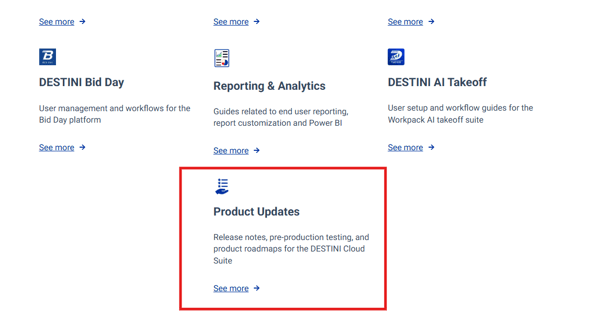
This section also contains a Product Roadmap article, offering users a peek and what's in store for Beck Technology and the DESTINI Suite.
Setup and Downloads
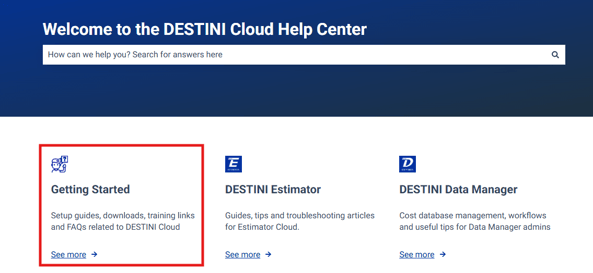
Instructions and links to download and install DESTINI applications will be housed in the Getting Started section.
Beck Tech Training
The Beck Tech Training Portal is available to all DESTINI users who want to participate in step-by-step lessons for DESTINI products. Reference this article to get your login and start learning: Beck Tech Training Portal: Access and Navigation
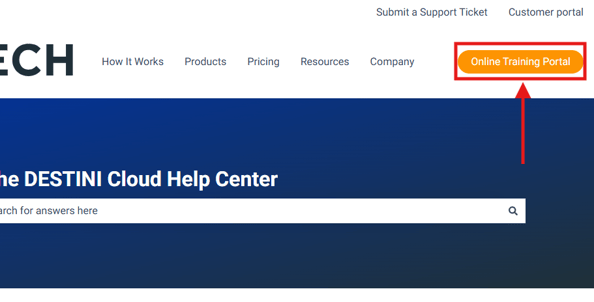
The Help Center always displays a link to the Beck Tech Training Portal via the button in the main header:
Submit a Support Ticket
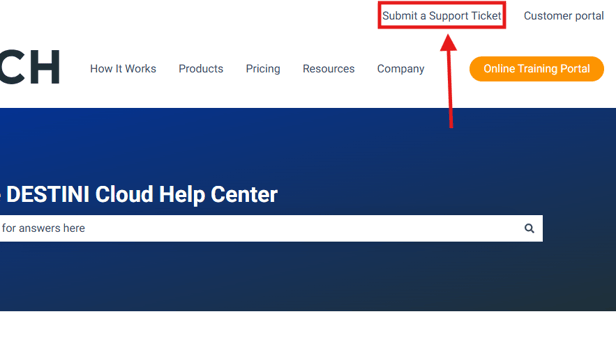
If you are unable to find the help you need on the Help Center, the next step is to contact Beck Tech Support. You can do this quickly and easily via the Submit a Support Ticket' link on the Help Center.
This form will generate a ticket with Beck Tech Support, who will reach out to you via email as soon as possible (typically within 2 hours of ticket creation).
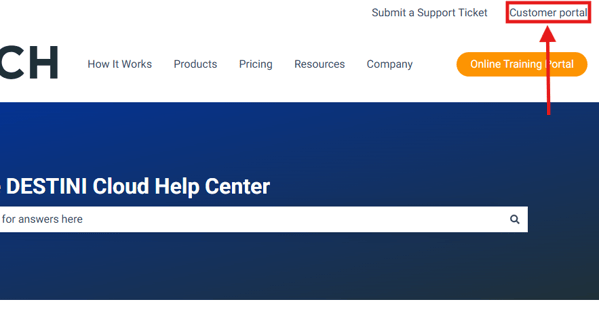
You can access and manage a list of previously submitted tickets via the Customer Portal.
Submit Your Suggestions to Improve this Article or the Help Center