
Annotations can be very helpful while completing takeoff and for others to review the takeoff. DESTINI Takeoff includes an Annotation tool within the top toolbar in the program.
- Open the Annotation tool, Click the A icon/Annotation button on the top toolbar
-
Select Free Text, Click the T icon for Free Text
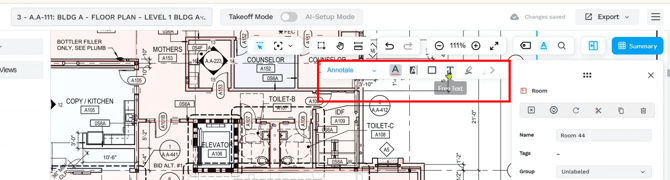
Customize the Annotation: Use the toolbar options to adjust: Font size, Color, Style, or a different type of annotation besides Free Text.
-
Add the Annotation
- Click and drag to create a text box
- Type in the relevant note
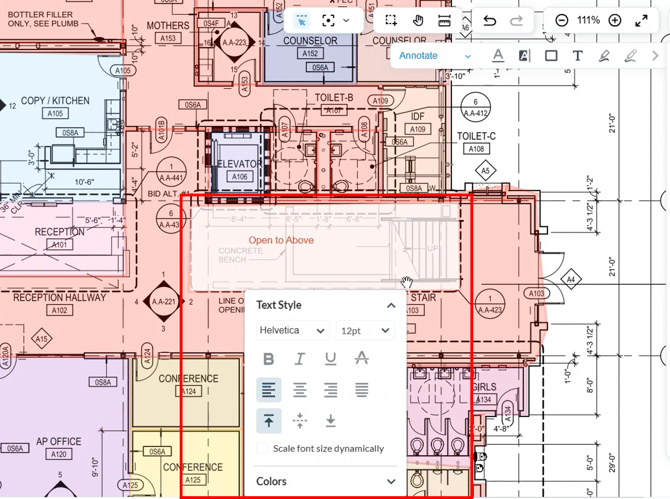
- Click Save
-
Exit Annotation Mode, press Esc
-
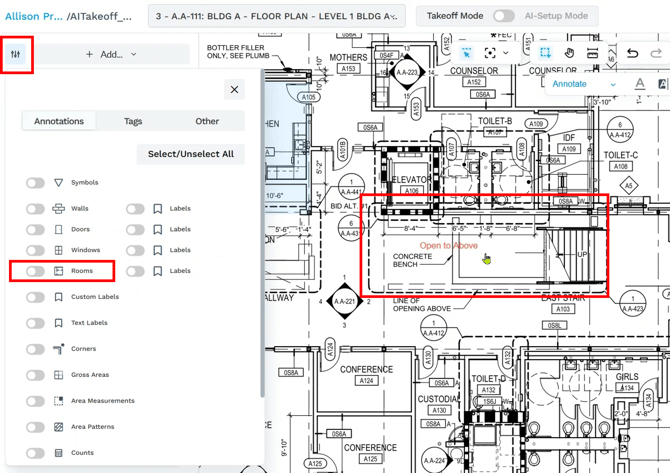
Filter for Annotations, Click on the Filter tool, click on the Annotations tab, then use the Filters to turn off takeoff and view Annotations only for clarity
Suggest an Improvement for this Article