
DESTINI Bid Day features a range of keyboard shortcuts aimed at streamlining workflows for more experienced users. This article offers an overview of the keyboard shortcuts in the Bid Day tool, as well as a list of color codes and their definitions.
In-App Shortcuts List
You can access a list of keyboard shortcuts directly within Bid Day.
-
While on the Bid Package summary page in your project hover your mouse over the ? icon in the main menu banner.
- Select Keyboard Shortcuts.
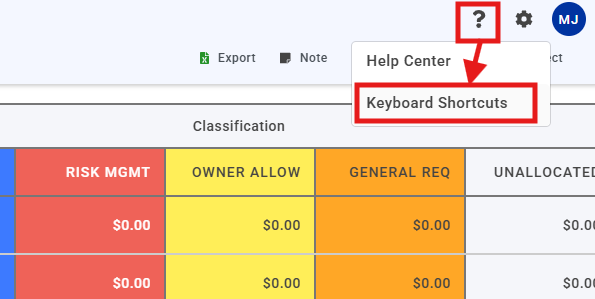
Keyboard Shortcuts List
Here is a quick-reference list of keyboard shortcuts in Bid Day. As you practice using these shortcuts effectively, rather than continuously referring back to the in-app list, you might prefer to keep this page open on another screen while using Bid Day.
Bid Summary Page
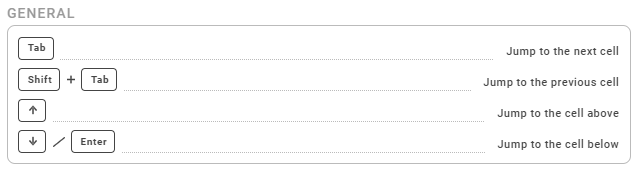
Bid Package Page
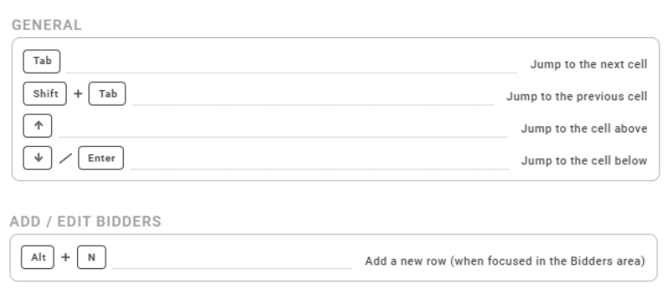
General
- Tab – Jump to the next cell
- Shift +Tab – Jump to the previous cell
- Up Arrow – Jump to the cell above
- Down Arrow - Jump to the cell below
Add / Edit Bidders
- Alt + N – Add a new row (when focused in the Bidders area)
Add / Edit Line Items
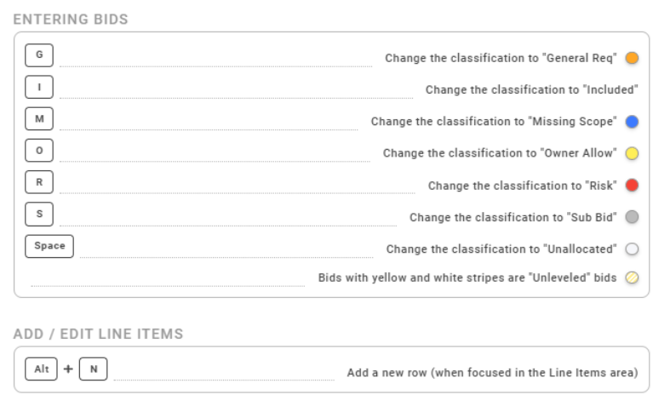
- Alt + N – Add a new line (when focused in the Line Items area)
Abbreviations
Entering Bids
- G – General
- I – Included
- M – Missing Scope
- O – Owner Allow
- R – Risk Management
- S – Sub Bid
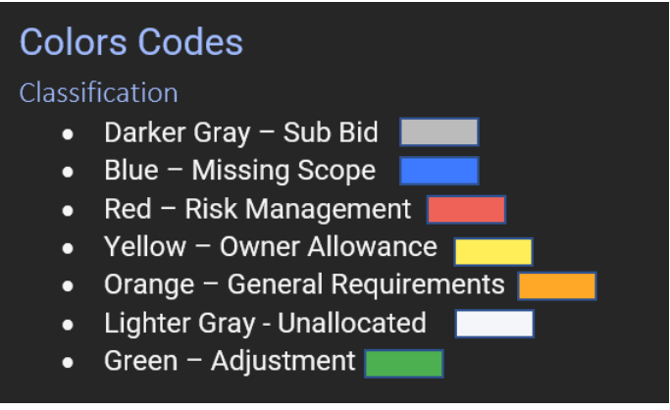
Colors Codes
Bid Packages
- Red – Low number of bids
- Yellow – Middle number of bids
- Green – This is the required number of bids