
When a new Bid Day user is created, they will only have permission to access and view projects in Bid Day. It is important to note that they are not automatically granted access to edit any projects by default.
For new users to be able to edit a project, they will first need the Project Admin to assign them as either a Project Admin or Contributor in that Project.
To add a user as Project Admin or Contributor, one of the existing Project Admins should perform the following:
-
Locate the project you'd like to allow the user to edit and open it.
-
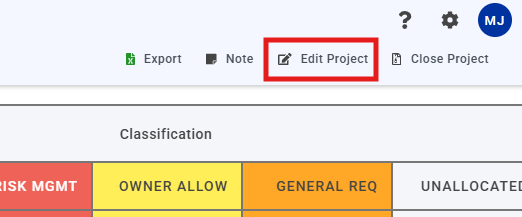
Click Edit Project in the main menu banner.
-
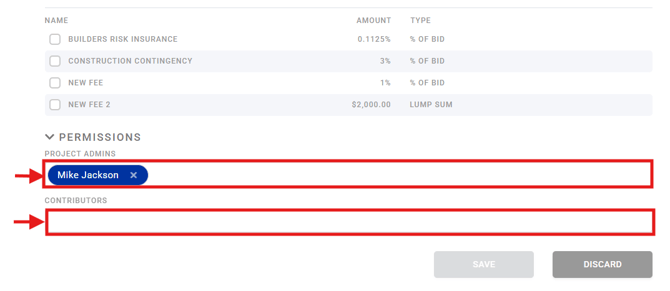
In the Edit Project screen, scroll down to the Permissions section.
- Add the new user to either the Project Admins or Contributors fields.
- Click Save.
The new user will now be able to edit this project.
More on Bid Day User Management
While the above process can be performed by Project Admins, global user access can only be managed by the assigned Bid Day Company Admin for your organization. Read the following article for more details on global user management and roles in Bid Day:
Submit Your Suggestions to Help Improve This Article