
Display what WBS property group is organizing your DESTINI Cloud Report.
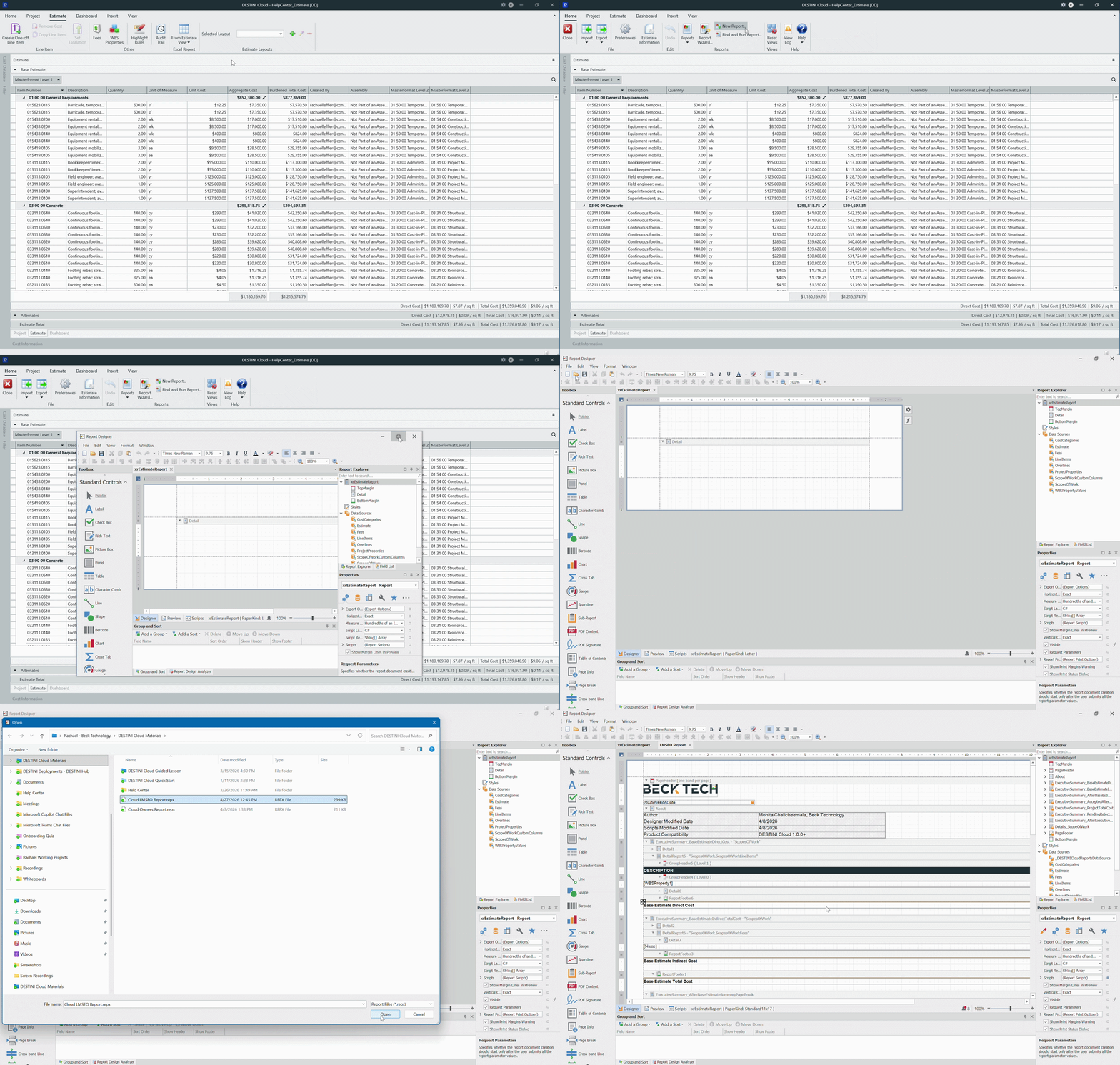
Open the Report Designer
-
Open the Report Designer
-
In Cloud, open an Estimate (any estimate, it doesn’t matter which).
-
Navigate to the Home View.
-
In the main Ribbon, click on New Report…
-
Report Designer will be launched
-
Ensure you open Cloud reports in DESTINI Cloud. Opening them in Legacy will corrupt the reports and make them unusable.
-
In the Report Designer, open your report template file
-
Click the Open button
-
Navigate to the location of the report template file (.repx) that you want to modify
-
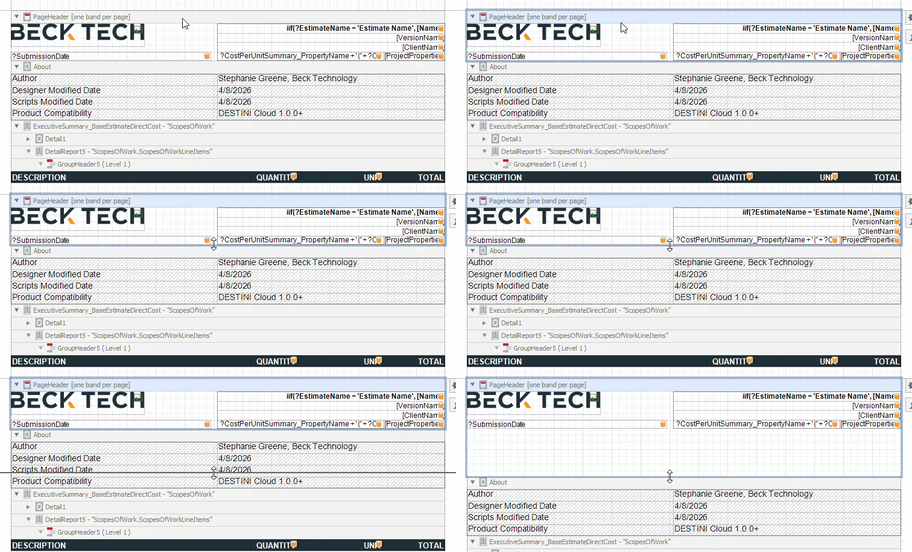
Modify the PageHeader Band
-
Inside the main section, click the top of the PageHeader band
-
Increase the band’s height
-
With the band selected, move your mouse to the bottom edge of the band
-
Drag and drop the bottom edge downwards.
-
Add a Label to the Page Header
-
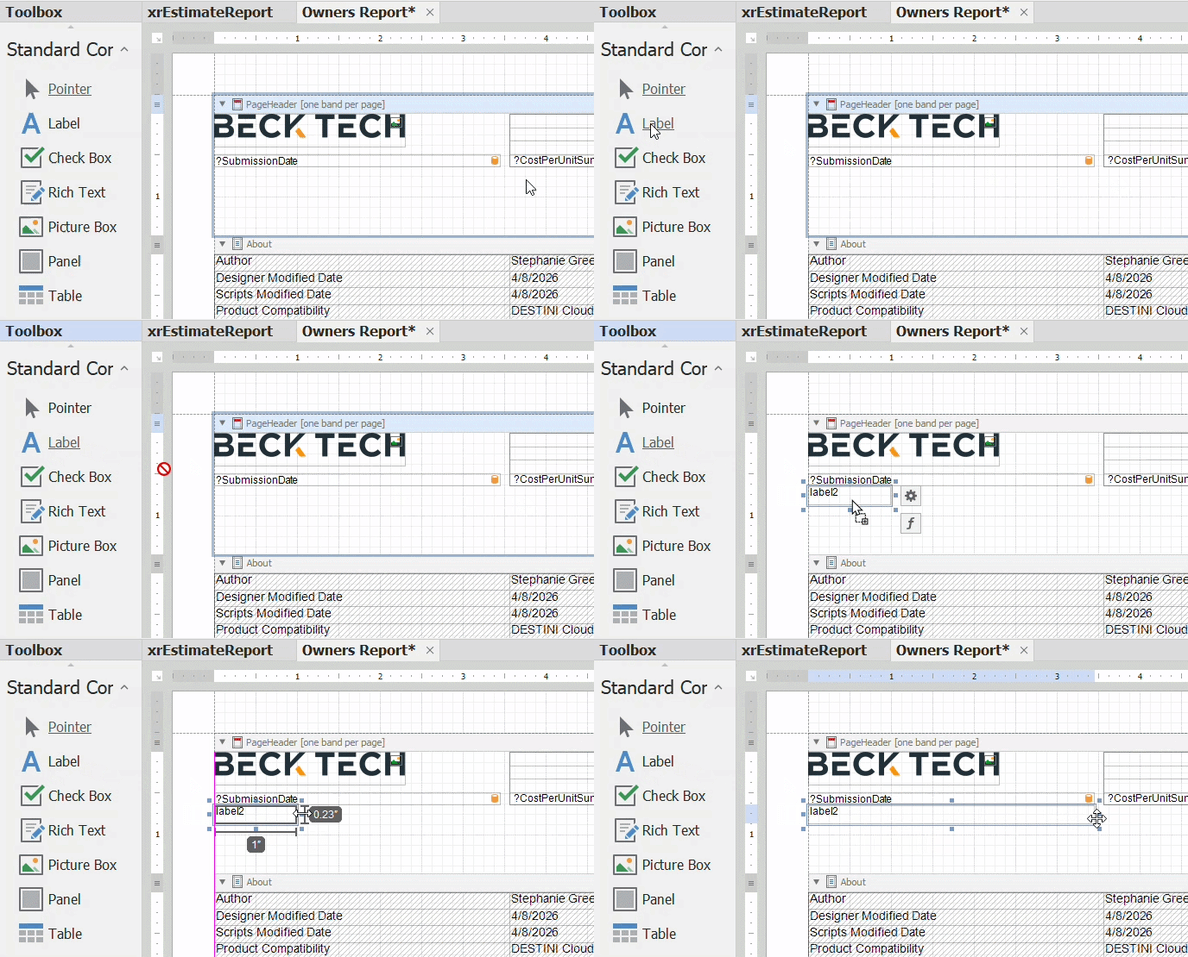
Inside the Toolbox panel on the left side of the screen, add a Label
-
Locate the Toolbox panel on the left side of the screen
-
Drag and drop “Label” inside your PageHeader space.
-
Adjust the label’s location and size as desired.
-
-
With the new Label selected, click the Function button to the bottom right.
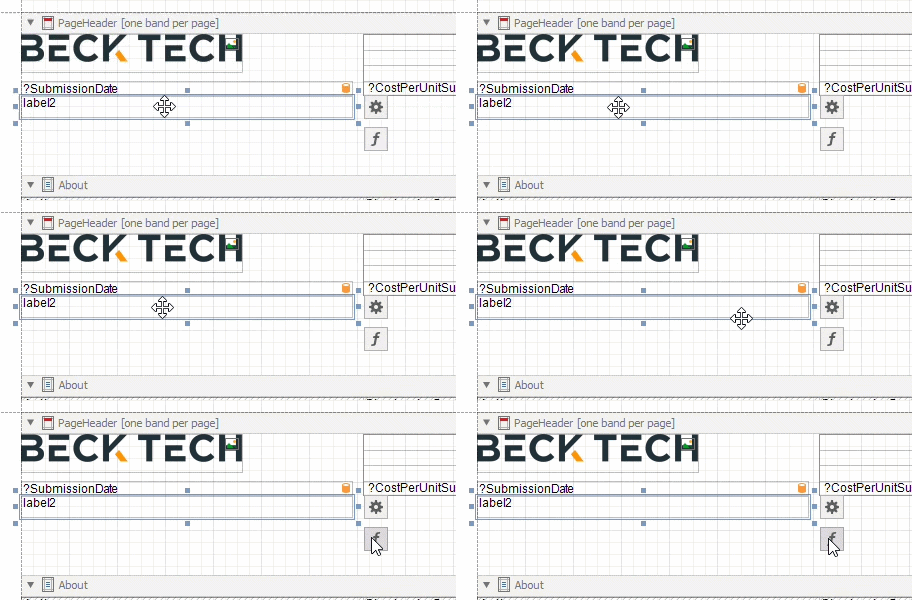
Configure the Label Expression
- Inside the resulting Expression Editor window, apply the following Text expression:
- Replace ‘Level 1’ with your desired prefix, within the single quotes
'Level 1: ' + ?WBSProperty1_Parameter
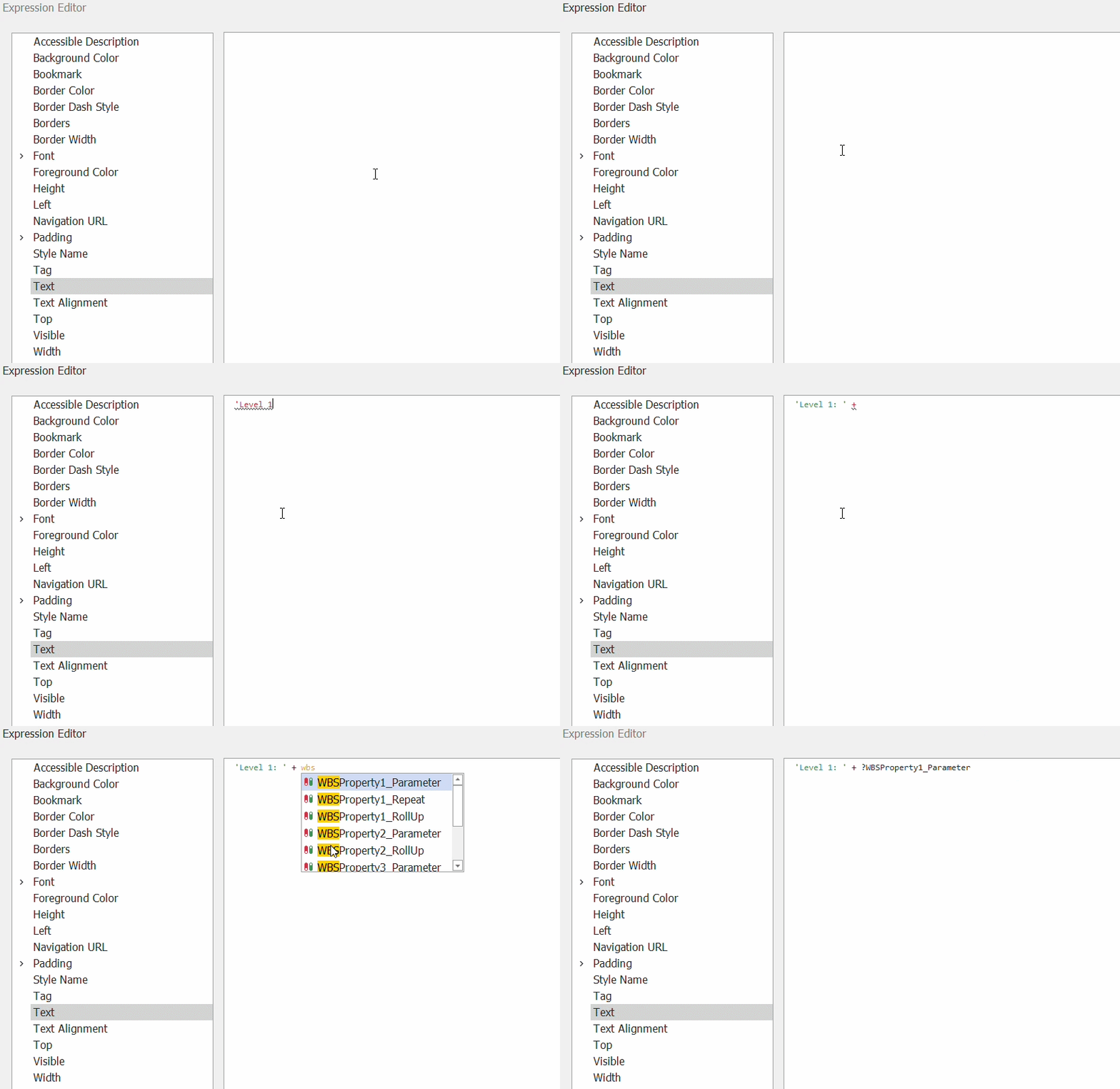
- Optional: If you would like to hide your label when that grouping is empty, apply conditional visibility inside the Visible section:
NOT IsNullOrEmpty(?WBSProperty1_Parameter)
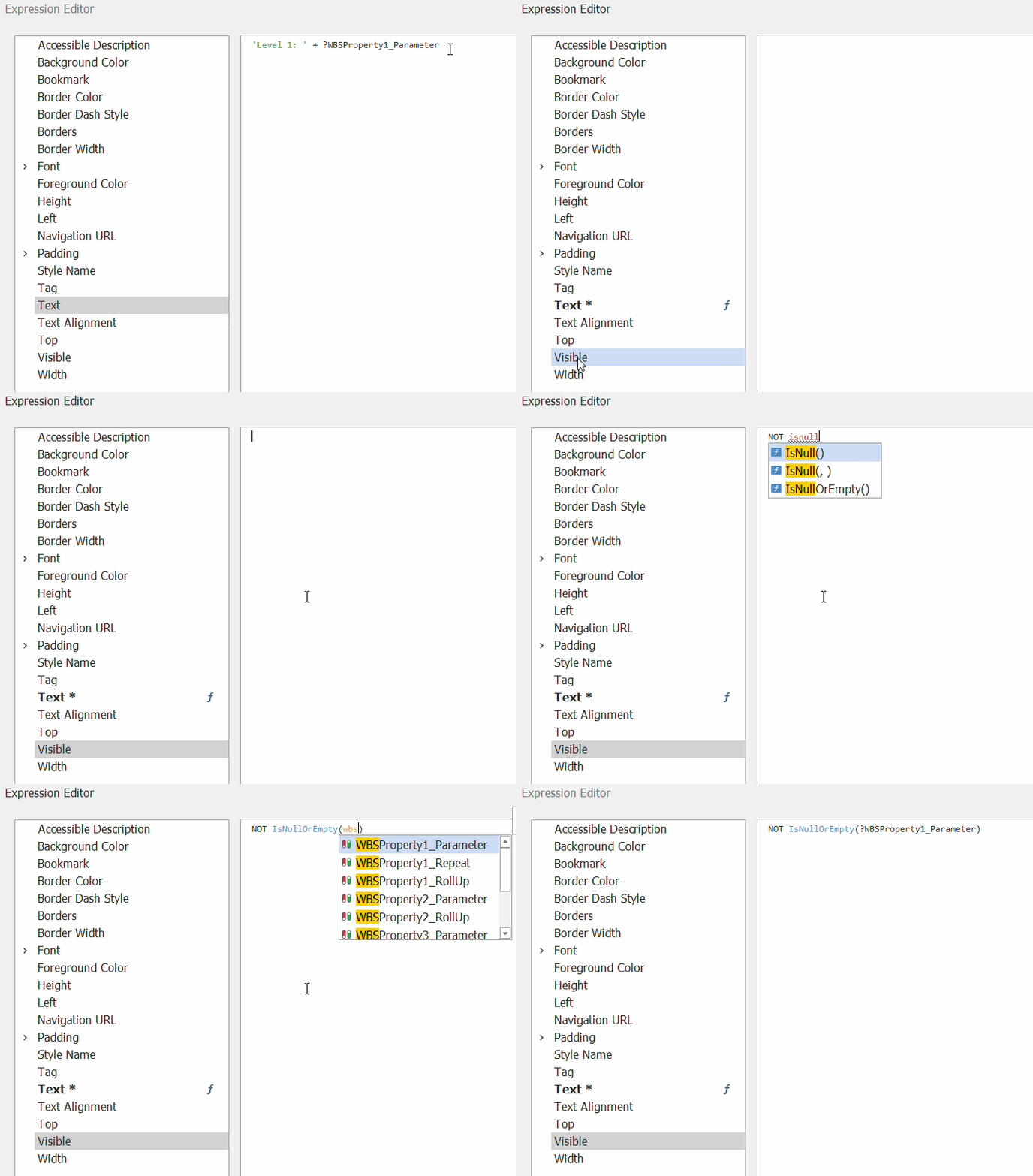
- Click the OK button
Save and Repeat for Additional Grouping Levels
-
Save and run the report in DESTINI Cloud: Estimator
-
Repeat Steps 5–10 for each grouping level (see parameter names below)
WBS Grouping Parameters
| Parameter Description | Parameter Name |
|---|---|
| Level One Group | ?WBSProperty1_Parameter |
| Level Two Group | ?WBSProperty2_Parameter |
| Level Three Group | ?WBSProperty3_Parameter |
| Level Four Group | ?WBSProperty4_Parameter |
Suggest an Improvement for this Article