
In this article, we will add a Cost/SF field to your Page Header based on your Base Estimate and Accepted Alternate Cost. With Total Building Area as the default denominator, your Cost/SF value will give you a quick glance summary of your project’s cost.
Getting Started
1. Open the Report Designer
-
-
In DESTINI Cloud: Estimator, open an Estimate (any estimate, it doesn’t matter which).
-
Navigate to the Home View.
-
In the main Ribbon, click on New Report…
- Report Designer will be launched
-
2. In the Report Designer, open your report template file
-
-
Click the Open button
-
Navigate to the location of the report template file (.repx) that you want to modify
-
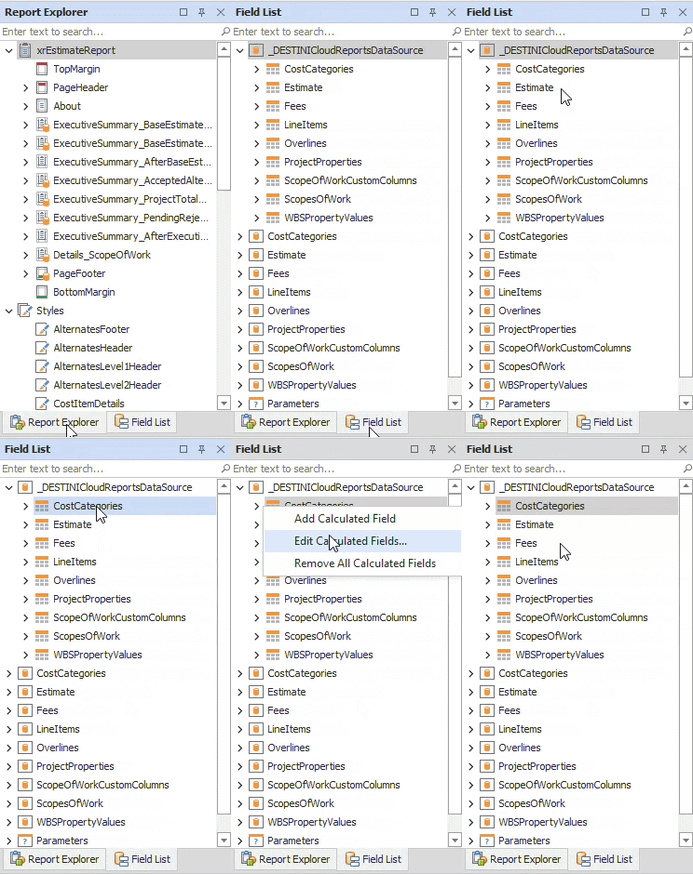
3. On the right side of your screen, open the Field List
-
-
Locate the Report Explorer on the right side of the screen.
-
Using the tabs, switch to the Field List.
-
4. Inside the Field List, expand _DESTINICloudReportsDataSource, right click on any child node and select “Edit Calculated Fields…”
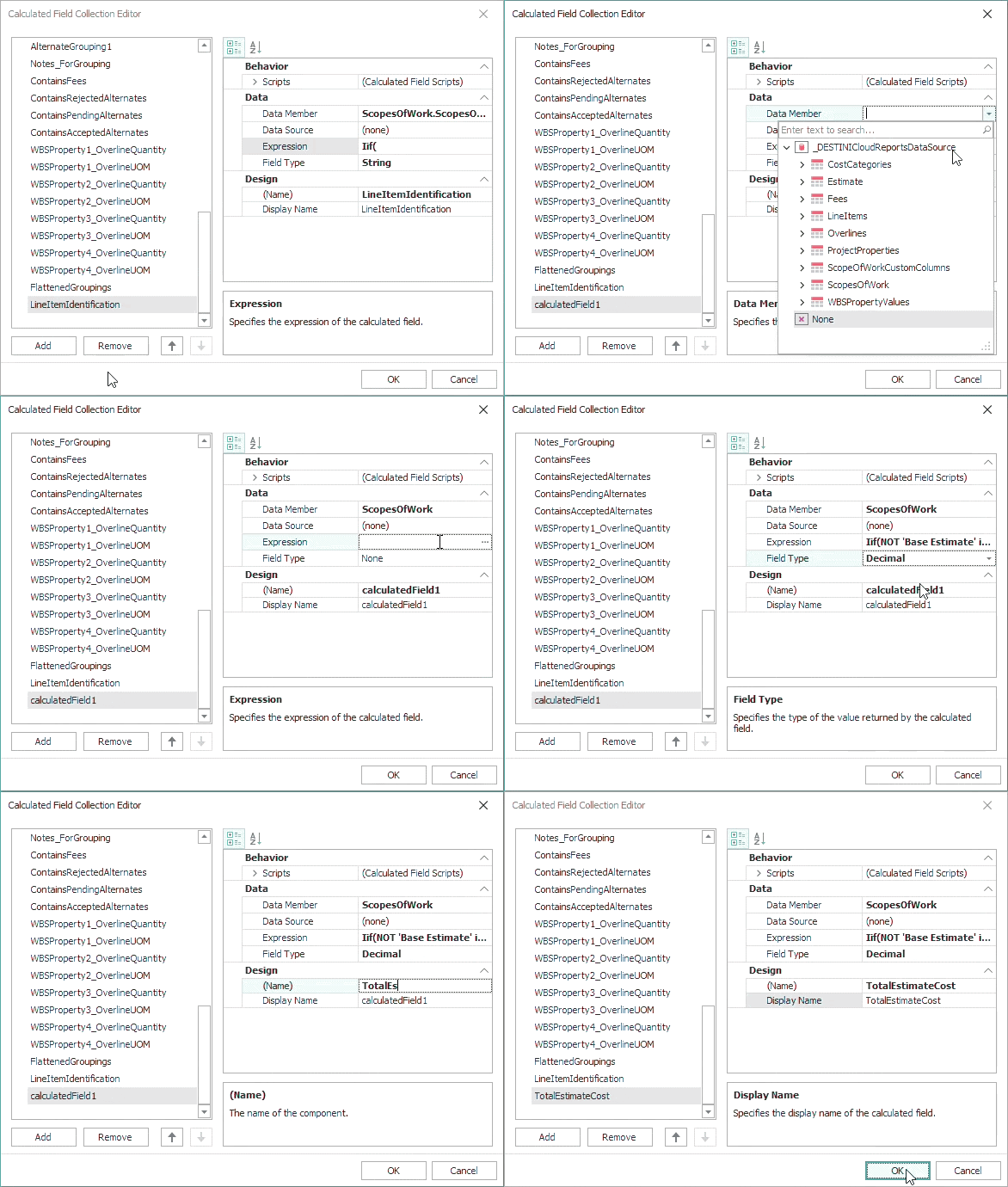
5. In the bottom left side of the Calculated Field Collection Editor, click the Add button
The new calculated field is automatically selected, and its properties are visible on the right side of the window.
6. Populate the calculated field’s properties using the following information and click OK
-
-
Data Member: ScopesOfWork
-
Field Type: Decimal
-
Name: TotalEstimateCost
-
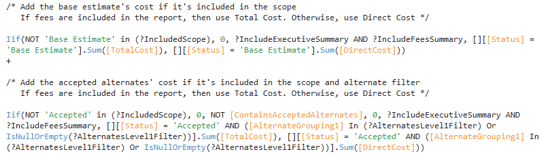
Expression:
-
Iif(NOT 'Base Estimate' in (?IncludedScope), 0, ?IncludeExecutiveSummary AND
?IncludeFeesSummary, [][[Status] = 'Base Estimate'].Sum([TotalCost]),
[][[Status] = 'Base Estimate'].Sum([DirectCost])) + Iif(NOT 'Accepted' in
(?IncludedScope), 0, NOT [ContainsAcceptedAlternates], 0,
?IncludeExecutiveSummary AND ?IncludeFeesSummary, [][[Status] =
'Accepted' AND ([AlternateGrouping1] In (?AlternatesLevel1Filter) Or
IsNullOrEmpty(?AlternatesLevel1Filter))].Sum([TotalCost]), [][[Status] =
'Accepted' AND ([AlternateGrouping1] In (?AlternatesLevel1Filter) Or
IsNullOrEmpty(?AlternatesLevel1Filter))].Sum([DirectCost]))
Designer Changes
7. At the top of the report, locate the Page Header
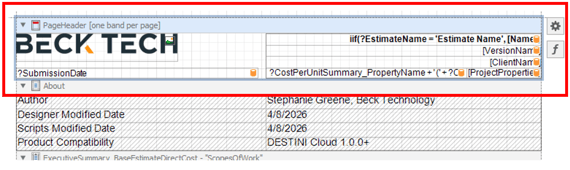
8. Inside the band, right-click the bottom-right cell and select Insert → Row Below
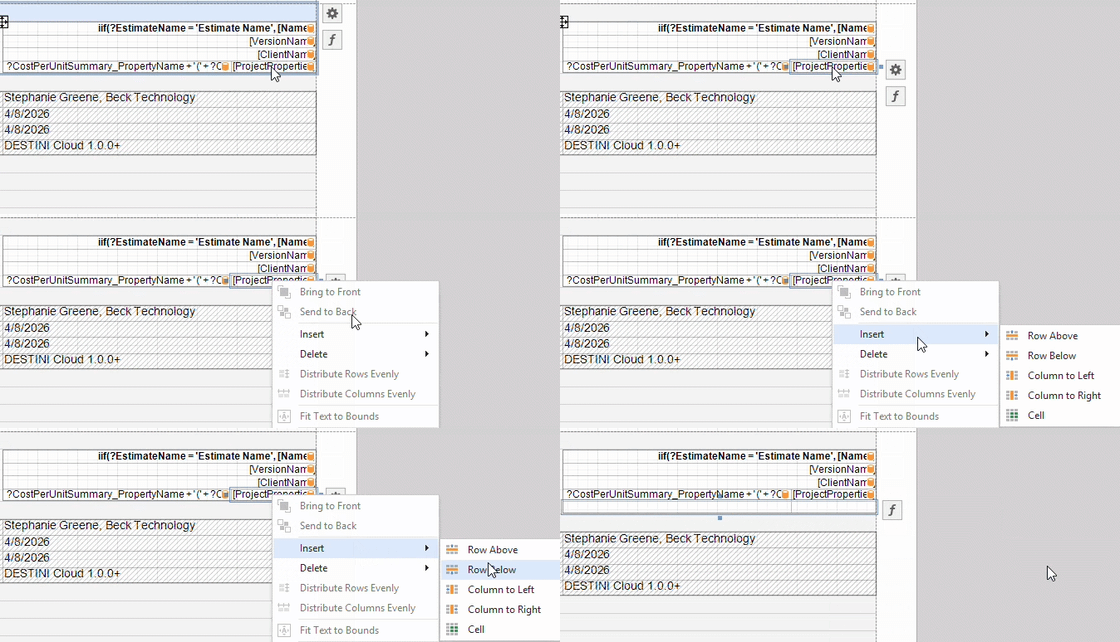
The new row has 2 cells. If you would prefer 1 cell, skip to the bottom of this article.
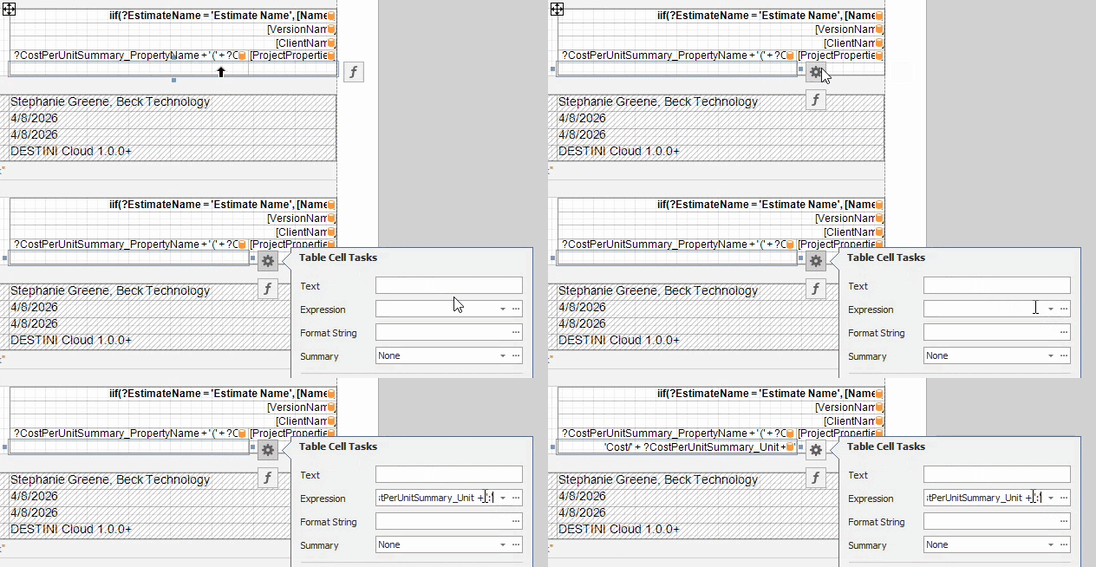
9. Select the new cell on the left. Click the Gear button to the right. Populate the following.
-
-
Expression:
-
'Cost/' + ?CostPerUnitSummary_Unit + ':'
You can change the text inside the single quotes. ?CostPerUnitSummary_Unit is a visible report parameter.
10. Select the new cell on the right. Click the Gear button to the right. Populate the following
a. Expression:
[ScopesOfWork].[TotalEstimateCost] /
[ProjectProperties].[CostPerUnitSummary_PropertyValue]
b. Set Format String as {0:c2}
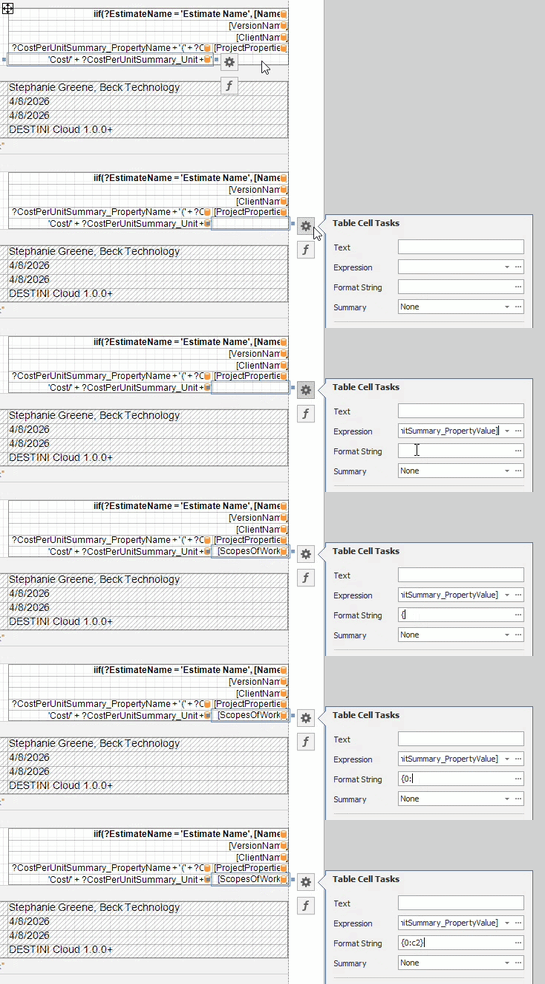
The c2 format will print your Cost/SF as a currency with 2 decimal places.
11. Save and run the report.
Single Cell Cost/SF
If you would like your Cost/SF field to appear inside 1 cell instead of 2, use the following steps after Insert → Row Below
12. Right-click either new cell and select Delete → Cell
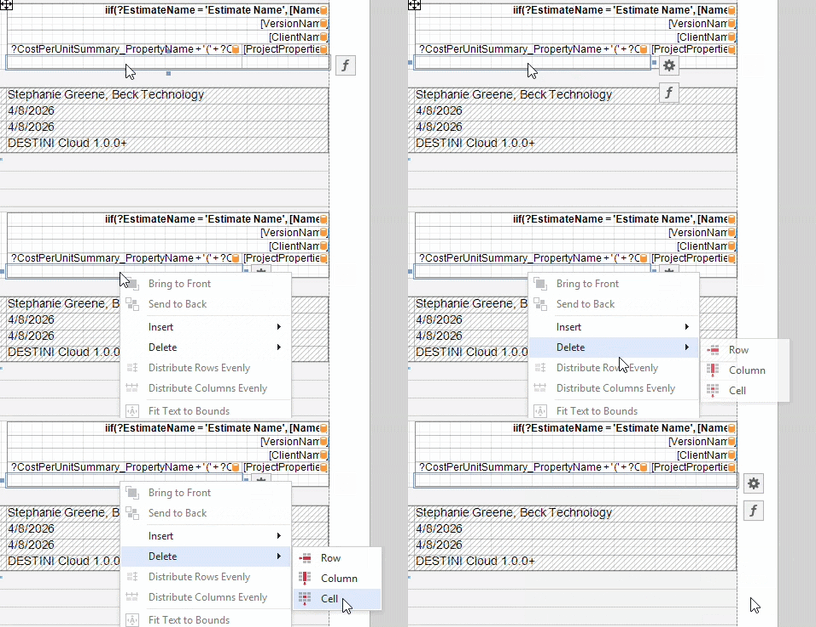
13. Select the remaining new cell and populate the following
-
-
Expression
-
'Cost/' + ?CostPerUnitSummary_Unit + ': ' + FormatString('{0:c2}',
[ScopesOfWork].[TotalEstimateCost] /
[ProjectProperties].[CostPerUnitSummary_PropertyValue])
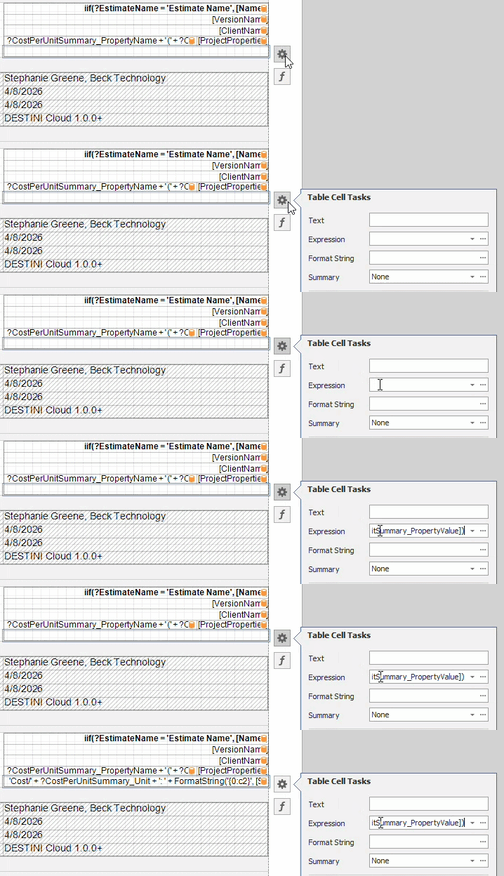
When an expression combines text and numeric values, use the FormatString() function to format the numbers.
14. Save and run the report in DESTINI Cloud: Estimator
Suggest an Improvement for this Article